How to Virtually Try On Jeans and Pants Online With Your Photo
Learn how to virtually try on jeans and pants online using your photo, compare denim and trouser styles, and understand what AI cannot show about fit.
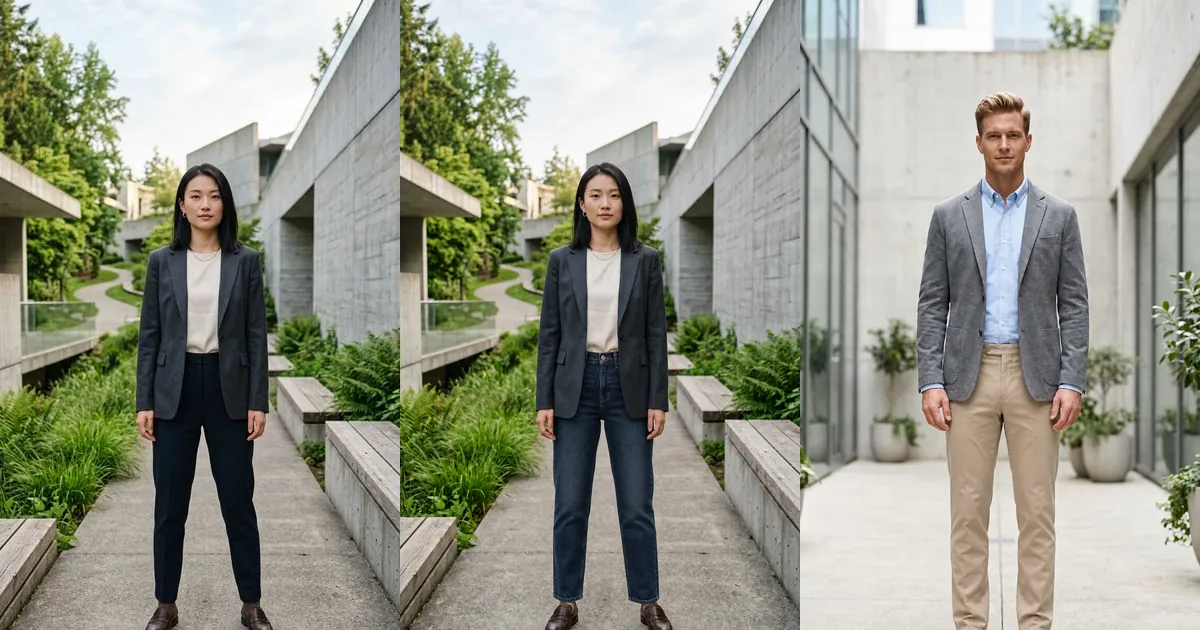
A virtual try-on for jeans and pants places a denim or trouser style onto your own photo so you can compare visible choices before shopping. It can help you explore high-rise versus mid-rise jeans, straight versus wide legs, dark versus light washes, or tailored trousers versus casual chinos without relying only on a retailer's model.
Use the result as an outfit preview rather than proof of physical fit. AI can suggest how the color, silhouette, waist position, hem, and styling look in an image, but it cannot feel tightness, measure the waistband, test movement, or guarantee the correct size or inseam.
How to virtually try on jeans and pants online
- Upload a clear front-facing full-body photo with your waist, legs, and shoes visible.
- Choose jeans or pants from the available collection, or upload a clean product image.
- Generate the preview and inspect the waist, pockets, fly, leg shape, hem, hands, and shoes.
- Compare meaningful alternatives on the same source photo instead of changing pose or camera angle.
- Verify body measurements, garment measurements, fabric stretch, reviews, and returns before ordering.
Original jeans and pants try-on examples
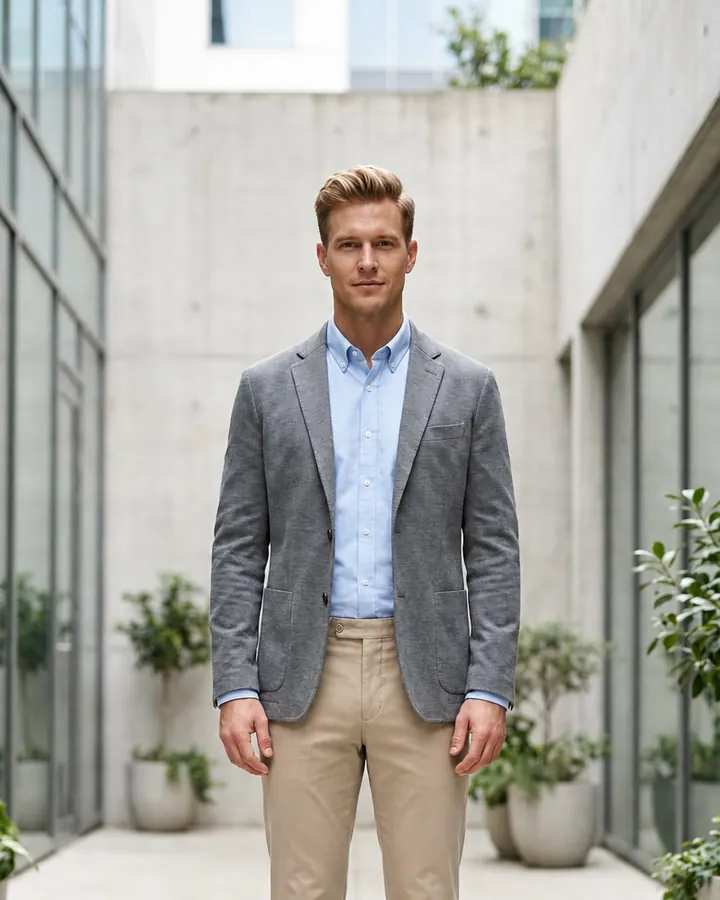
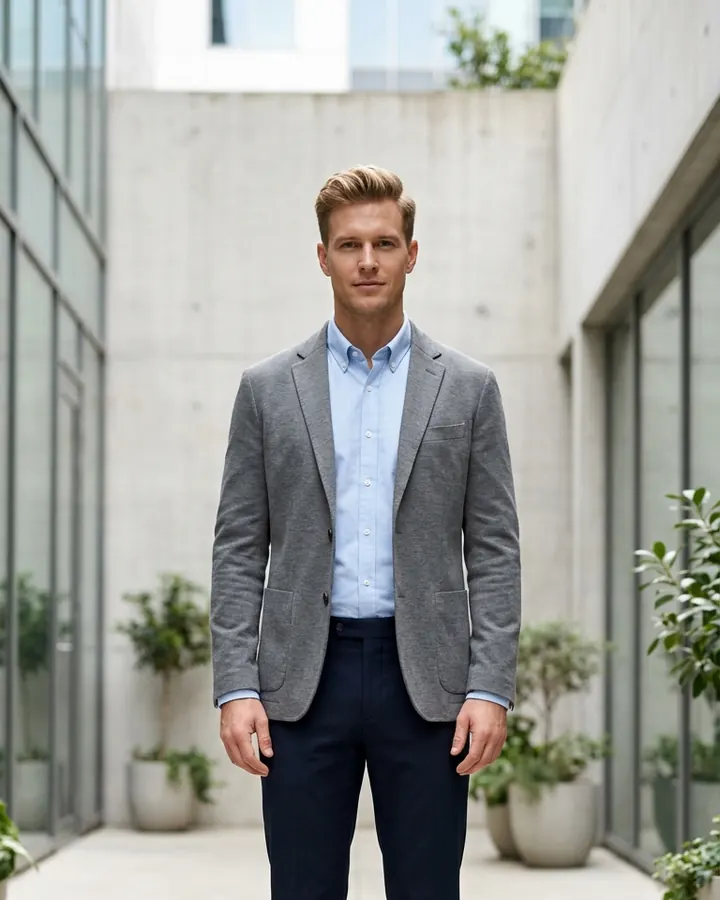
These examples use two of the new full-body photographs supplied for InFashi content. The clothing edits preserve each person's face, upper outfit, hands, stance, footwear, lighting, and location. Only the lower garment changes, making the visual comparison easier to evaluate.
Drag each slider to compare tailored trousers with dark-indigo straight-leg jeans and stone-beige cotton chinos.

 BeforeAfter
Women's jeans try-on · Dark-indigo straight-leg jeans
 BeforeAfter
Men's pants try-on · Stone-beige straight-fit chinos
Compare jean rise, leg shape, wash, and length
When trying on jeans virtually, separate the decision into visible features. Compare low, mid, and high rises; skinny, slim, straight, bootcut, flare, barrel, and wide-leg shapes; then test dark indigo, medium blue, light wash, gray, black, or ecru. Reusing one photo prevents a pose change from making one pair appear better unfairly.
Pay attention to where the waistband appears, how the leg line balances the upper outfit, and whether the hem works visually with your shoes. Generated creases and hems are estimates, so confirm the retailer's front rise, back rise, thigh, knee, leg opening, and inseam measurements for the actual garment.
Try on trousers, pants, and chinos
The word pants is common in the United States and Canada, while trousers is often used elsewhere for tailored styles. Either way, a virtual pants try-on can help compare straight, tapered, relaxed, wide-leg, pleated, cropped, cargo, and chino silhouettes. It is especially useful for checking how a color coordinates with an existing shirt, blazer, knit, or shoe.
Use a full-body preview when trouser break or cropped length matters. For office clothing, compare how navy, charcoal, camel, stone, olive, or black changes the formality of the complete outfit. Then verify whether the physical product is lined, stretchy, wrinkle-resistant, sheer, heavy, or suitable for the season.
Take a better source photo
- Stand naturally with feet uncrossed and both legs facing the camera.
- Keep the camera level around waist height and step back instead of using an ultra-wide lens.
- Wear a simple top that does not cover the waistband, hips, pockets, or upper thighs.
- Remove bags, long coats, chairs, and other objects that overlap the lower body.
- Use even daylight and leave the complete shoes and a little floor visible.
Choose a clear jeans or pants reference
Use a clean front-facing product photograph, flat lay, or mannequin image that shows the complete waistband, fly, pockets, legs, and hem. Crop screenshots to remove store menus, prices, labels, and unrelated products. If a model pose hides one leg or the waistband, look for another product view before generating the preview.
What AI can and cannot tell you about fit
AI can help answer visual questions: Do you prefer this rise? Does a wider leg balance the outfit? Is the wash too casual for the blazer? Does the color work with your shoes? It cannot confirm waistband pressure, seat comfort, thigh room, fabric recovery, pocket placement on the real body, or how the garment changes while sitting and walking.
Check the generated result carefully
Inspect the waistband, belt loops, button, fly, pockets, seams, knees, hem, hands, and shoes. Reject previews with uneven legs, duplicated fastenings, broken pocket lines, melted fingers, changed body proportions, or an altered face. Repeat promising products and trust details that remain stable across believable generations.
Use any Try button on this page to open InFashi's AI clothes tool, or continue with the Android app from the action panel. Build a shortlist from the most believable jeans and pants previews, then use measurements, fabric information, reviews, and the retailer's return policy to make the final purchase decision.
Frequently Asked Questions
- Can I virtually try on jeans using my photo?
- Yes. Upload a clear full-body photo, choose or upload a jeans reference, and generate a visual preview. Use it to compare rise, leg shape, wash, length, and styling—not to confirm an exact physical size.
- Can AI show whether jeans will fit my waist?
- No. A generated image may suggest a visual waist position but cannot measure compression, waistband comfort, gaping, stretch recovery, or movement. Check body and garment measurements before purchasing.
- What photo is best for virtual pants try-on?
- Use a sharp, evenly lit, front-facing full-body photo with both legs and shoes visible. Stand naturally with uncrossed legs and avoid coats, bags, furniture, or long tops that hide the waist and hips.
- Can I try on chinos and formal trousers online?
- Yes. AI can preview the visible color, rise, leg width, hem, and overall formality of chinos or trousers. It cannot confirm tailoring, fabric weight, comfort, or the correct inseam.
- Is a virtual jeans fitting room also a size finder?
- Not necessarily. Visual try-on shows an outfit concept, while a size finder uses measurements or retailer data to recommend a size. Use both when available and always check the current product chart and return policy.
Try it on InFashi
Upload a photo in your browser, or download the Android app and preview your look on your phone.