How to Virtually Try On Jackets and Coats Online
Learn how to virtually try on jackets and coats using your photo, compare outerwear styles, and check length, layering, color, and silhouette before buying.
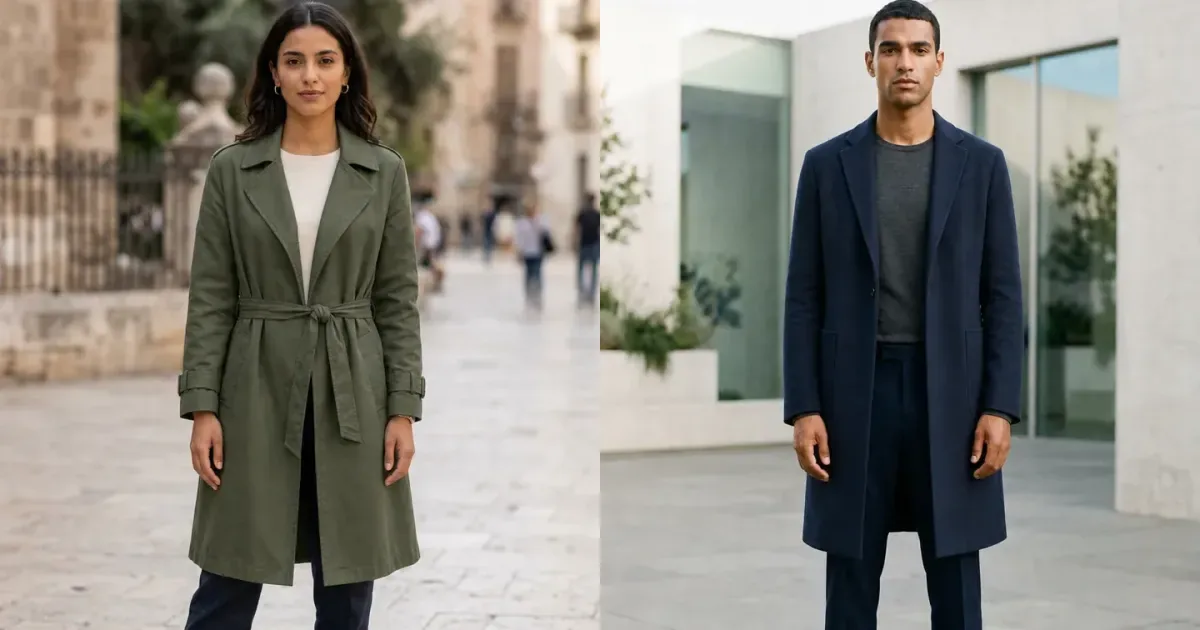
A jacket or coat can change the shape and mood of an entire outfit, yet product photographs rarely show how that outerwear will balance with your own proportions. A virtual jacket try-on places the style onto your photo so you can compare visible features such as shoulder structure, collar shape, color, length, volume, and layering before deciding what deserves a closer look.
InFashi can create an AI outerwear preview from a personal photo and a clothing reference. Treat the result as a styling aid, not a promise of size, warmth, comfort, or physical fit. A convincing image still cannot tell you whether a sleeve restricts movement, a winter coat has enough room for a sweater, or the real fabric feels heavy.
How to virtually try on jackets and coats
- Upload a sharp, front-facing photo with your shoulders, arms, torso, and legs visible.
- Choose an outerwear style or upload a clean product image showing the complete jacket or coat.
- Generate the preview and inspect the collar, shoulders, sleeves, fastening, pockets, hem, and hands.
- Use the same personal photo to compare a second length, color, fabric, or silhouette fairly.
- Confirm product measurements, fabric, lining, warmth, reviews, and returns before purchasing.
Original jacket and coat try-on examples
These examples use two unused photographs supplied for InFashi content. Within each comparison, the person's identity, pose, hands, footwear, camera angle, location, and lighting remain consistent while the outer layer changes. That makes the visible effect of length, color, collar, and fabric easier to judge.
Drag the sliders to compare a light blazer with a forest-green belted trench coat, then a linen blazer with a knee-length navy wool overcoat.
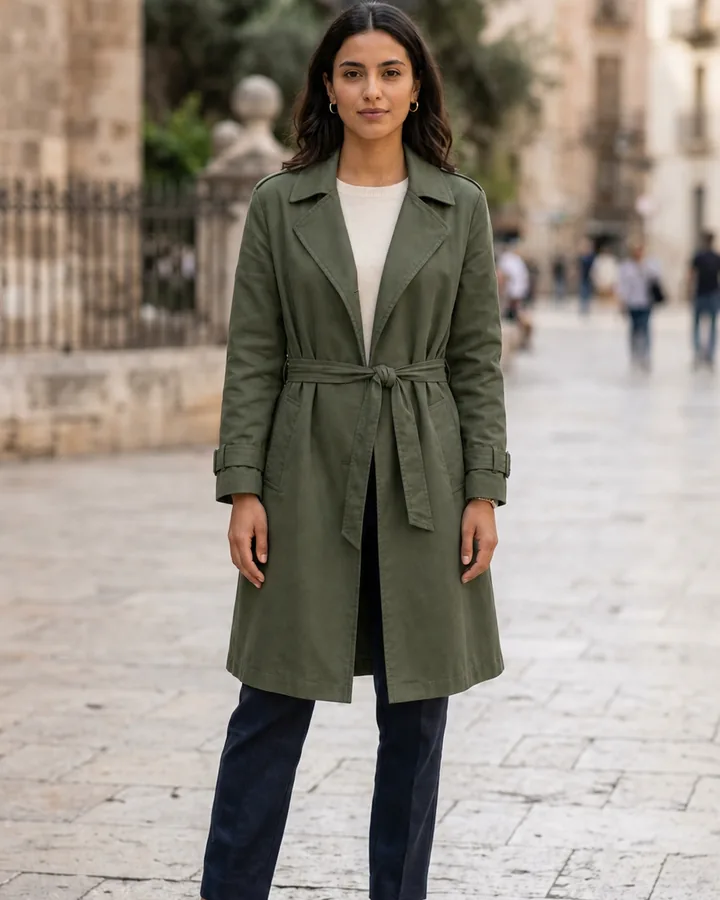
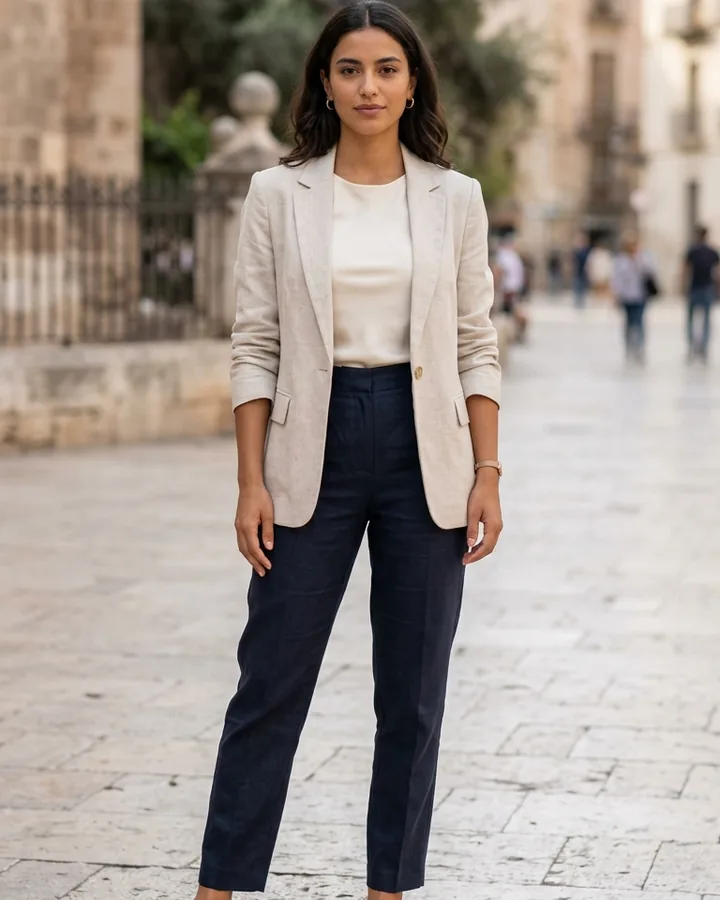 BeforeAfter
Women's coat try-on · Forest-green trench coat
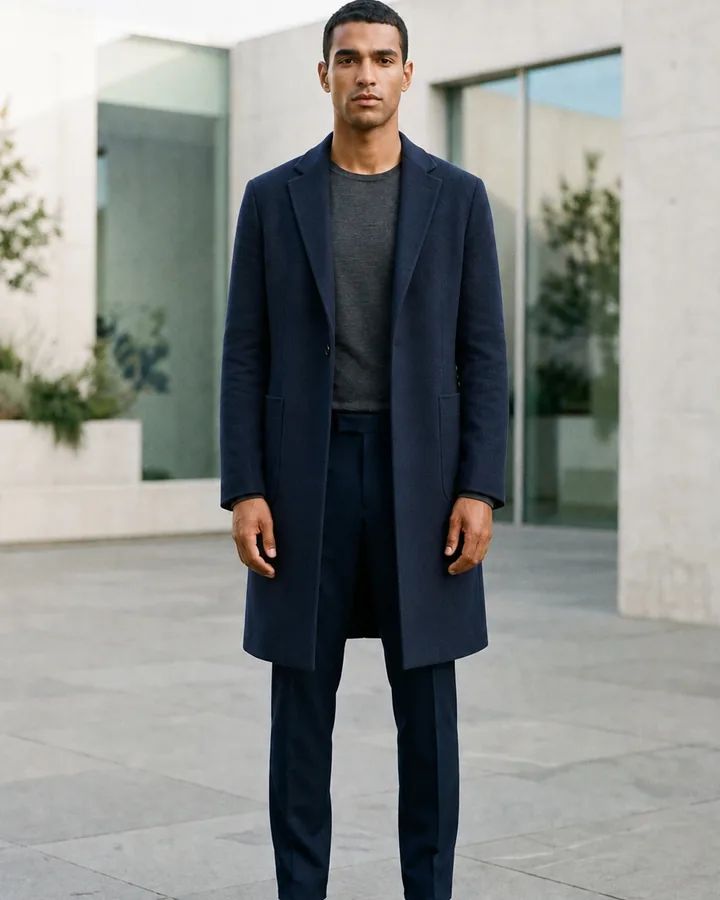
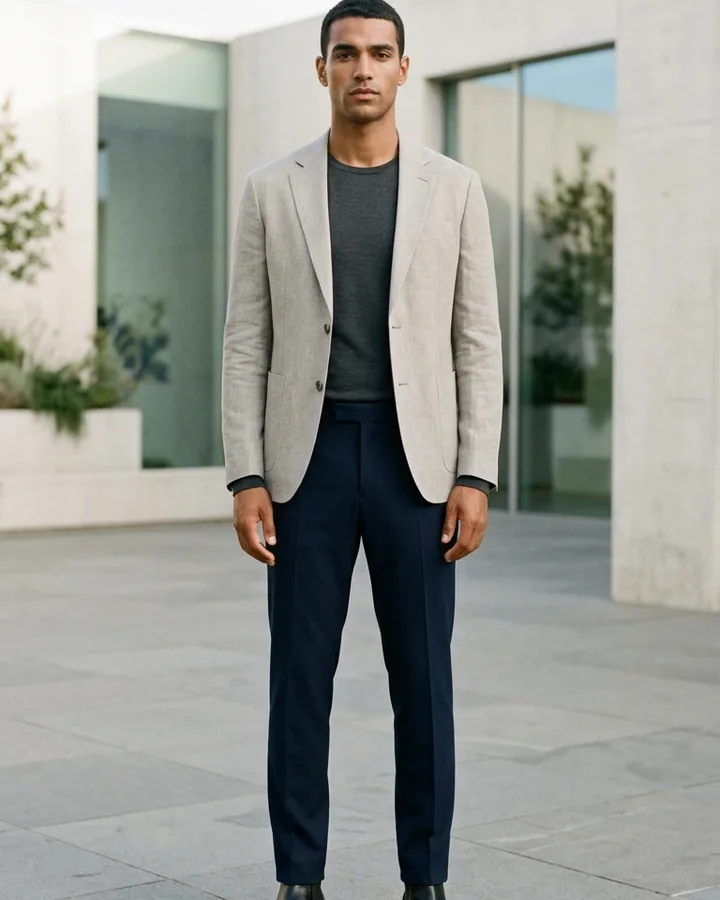 BeforeAfter
Men's coat try-on · Navy wool overcoat
Compare jacket length and silhouette
Start by comparing categories rather than many nearly identical products. A cropped jacket emphasizes the waist, a hip-length blazer creates a straighter line, and a long trench or overcoat adds a strong vertical shape. Try one fitted option, one relaxed option, and one longer layer on the same source photo to see which proportion works best with your trousers, jeans, skirt, or dress.
Look at where the hem ends, whether the shoulder appears natural, and how much visual volume the coat adds. Oversized puffers and heavy parkas can change the outline considerably, while a bomber, denim jacket, or leather jacket usually creates a shorter silhouette. AI may estimate these details, so verify the actual garment length and model measurements afterward.
Test collars, colors, and layering
Outerwear sits close to the face and often covers most of an outfit, so color and collar shape deserve attention. Compare a warm camel coat with navy, charcoal, olive, cream, or burgundy; then check lapels, a funnel neck, a hood, or a collarless design. Keep the clothing underneath simple so the outer layer remains the main variable.
For layering, preview an open and closed look when the product supports both. Check whether a shirt collar, hoodie, knit, or scarf would compete with the jacket neckline. A generated preview can show the visual combination, but it cannot confirm whether the real armholes, chest, or sleeves leave enough physical space for those layers.
Use a better coat reference image
- Show the complete front, including collar, shoulders, cuffs, closure, pockets, and hem.
- Prefer a flat lay, mannequin image, or straight product view without crossed arms.
- Crop store screenshots so navigation, prices, badges, and other products disappear.
- Use a high-resolution reference when texture, quilting, checks, or hardware matters.
- Avoid folded garments or poses that hide one sleeve or distort the coat length.
What a virtual coat fitting room cannot confirm
AI can help with style, proportion, color, and outfit coordination. It cannot assess insulation, wind resistance, waterproofing, weight, movement, pocket depth, fabric feel, or exact fit. Before checkout, compare your chest, shoulders, sleeve length, and preferred layering allowance with the retailer's garment measurements and current size chart.
Build a practical outerwear shortlist
Keep three useful options: a lighter everyday jacket, a versatile smart layer, and a weather-appropriate coat. Preview each with clothes and shoes you already wear, then ask whether the color and length work across several outfits. This avoids choosing a coat that looks attractive in isolation but duplicates something you own or requires an entirely new wardrobe around it.
Use any Try button on this page to open InFashi's AI clothes tool, or download the Android app from the action panel. Save two or three believable outerwear previews, then combine that shortlist with product construction, climate needs, measurements, reviews, and the return policy.
Frequently Asked Questions
- Can I virtually try on a jacket using my own photo?
- Yes. Upload a clear photo of yourself and a clean jacket reference, then generate a visual preview. Use it to compare color, length, collar, layering, and overall silhouette rather than exact physical fit.
- Can I upload a coat from an online store?
- Yes. Save or crop a product image that shows the complete front of the coat, including the collar, sleeves, fastening, pockets, and hem. Remove menus, prices, and unrelated products from screenshots.
- Will virtual coat try-on show the correct size?
- No. An AI image cannot measure shoulder mobility, sleeve comfort, insulation, layering room, or the real garment dimensions. Check your measurements and the retailer's size chart before buying.
- What photo works best for trying on outerwear?
- Use a sharp, evenly lit, front-facing photo with your arms slightly separated. Include your full body for long coats and avoid bags, scarves, crossed arms, or bulky clothing that hides the torso.
- Which jackets and coats can I preview with AI?
- You can visually explore blazers, bomber jackets, denim jackets, leather jackets, trench coats, wool overcoats, parkas, and puffers when you have a clear clothing reference.
Try it on InFashi
Upload a photo in your browser, or download the Android app and preview your look on your phone.