
 BeforeAfter
Drag handle horizontally to compare
Layered auburn cut
Same original portrait · AI hairstyle preview
AI hairstyle changer
Preview haircuts and styles on your real photo before you visit the salon. Free AI hairstyle try-on with InFashi — upload a selfie and see your next look in seconds.
Upload a selfie, then choose a hairstyle from the collection or add your own reference.
No photo? Try a sample · men & women
Or pick from collection
Browse and pick looks freely — create an account if you're new
Drag each image to compare the same person before and after. These original examples include hairstyles for women and men.
BeforeAfterSame original portrait · AI hairstyle preview
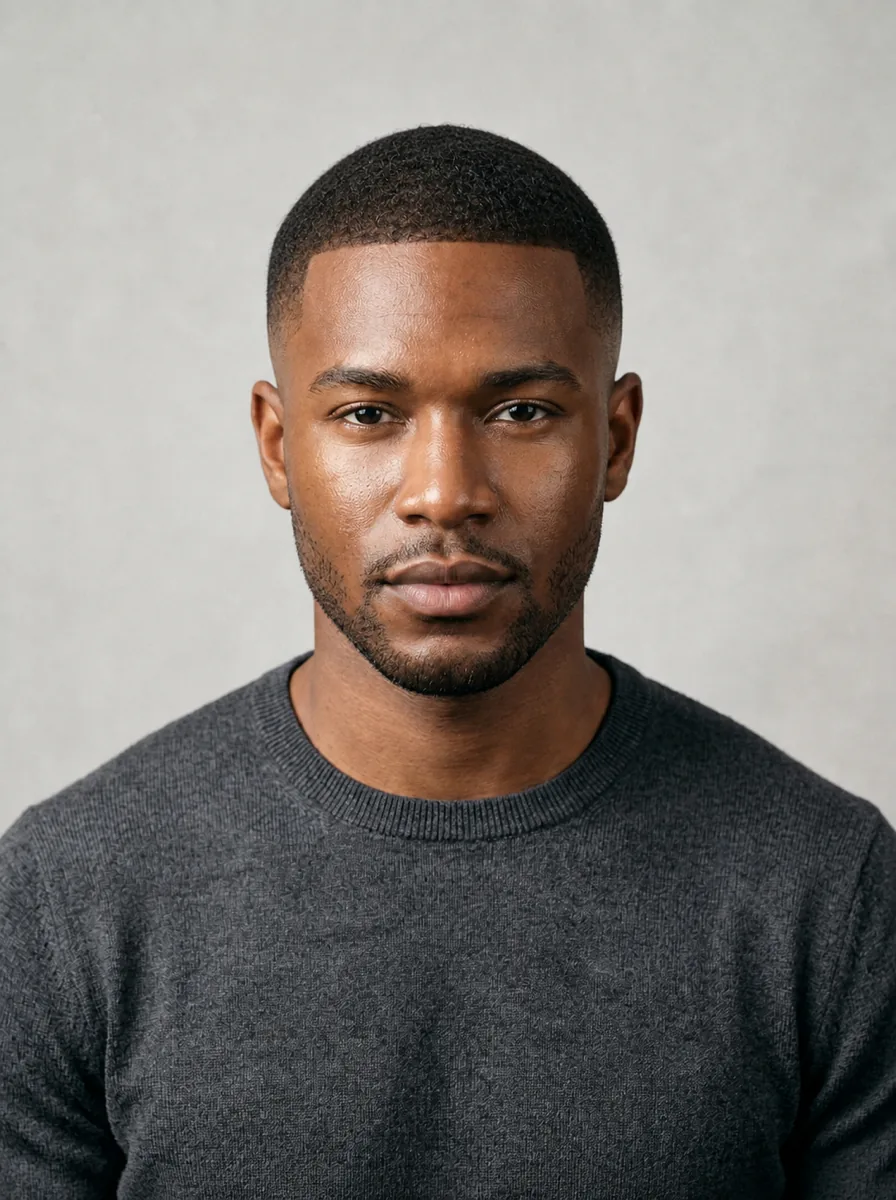
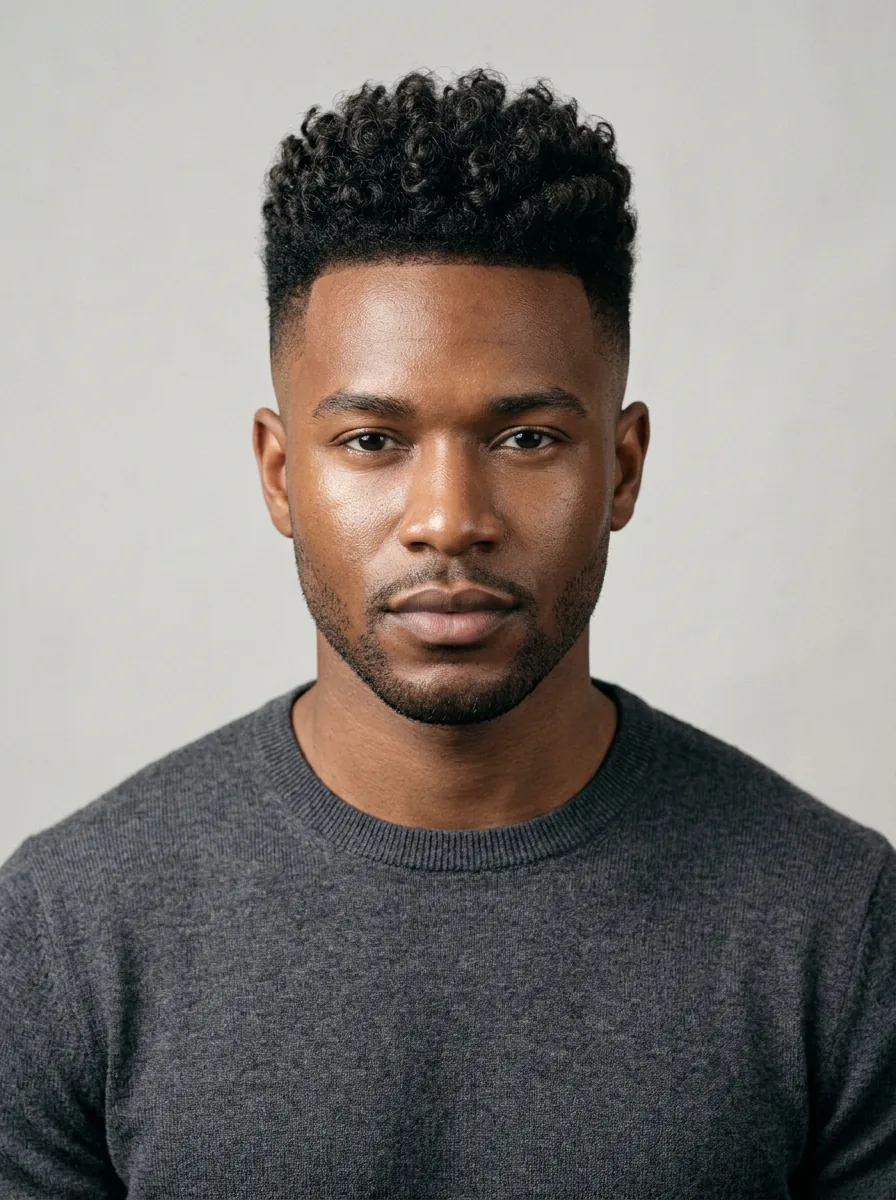 BeforeAfter
Men's length, hairline, and fade comparison
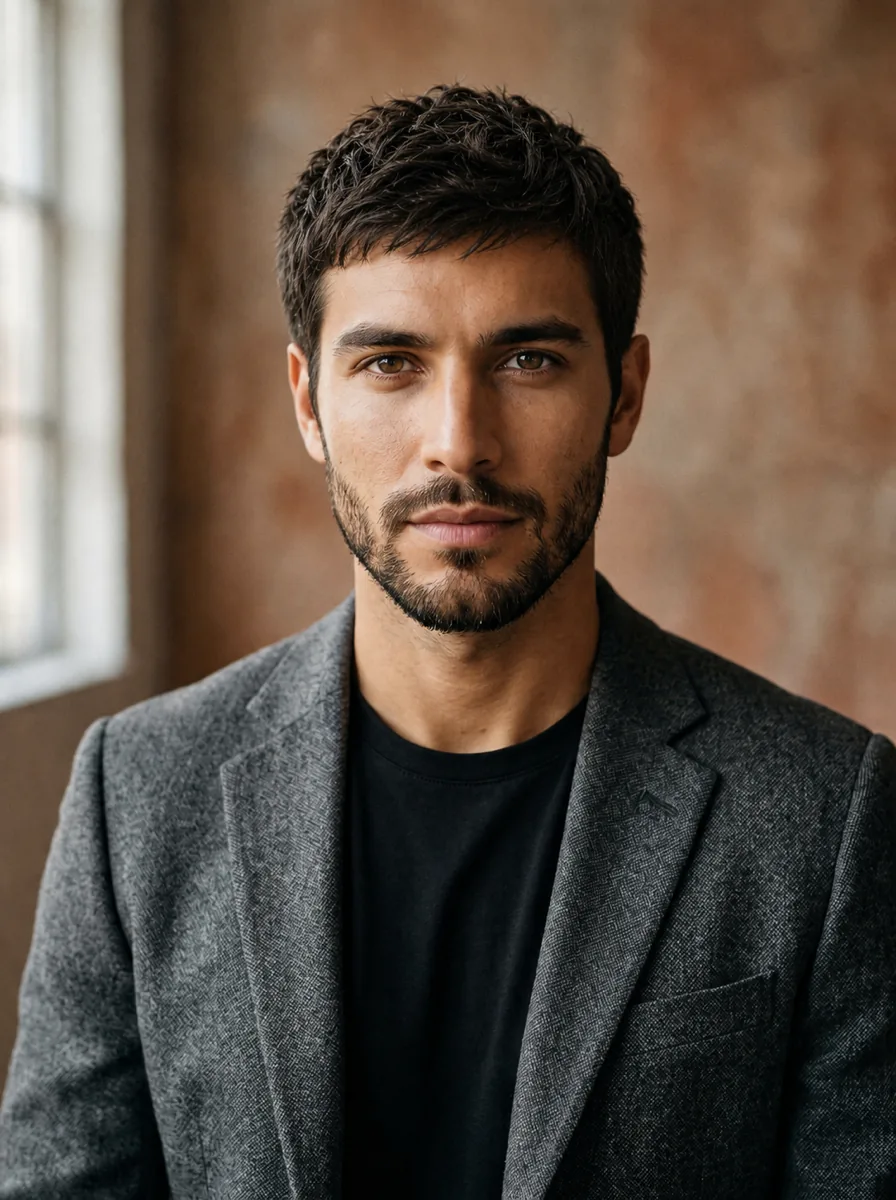
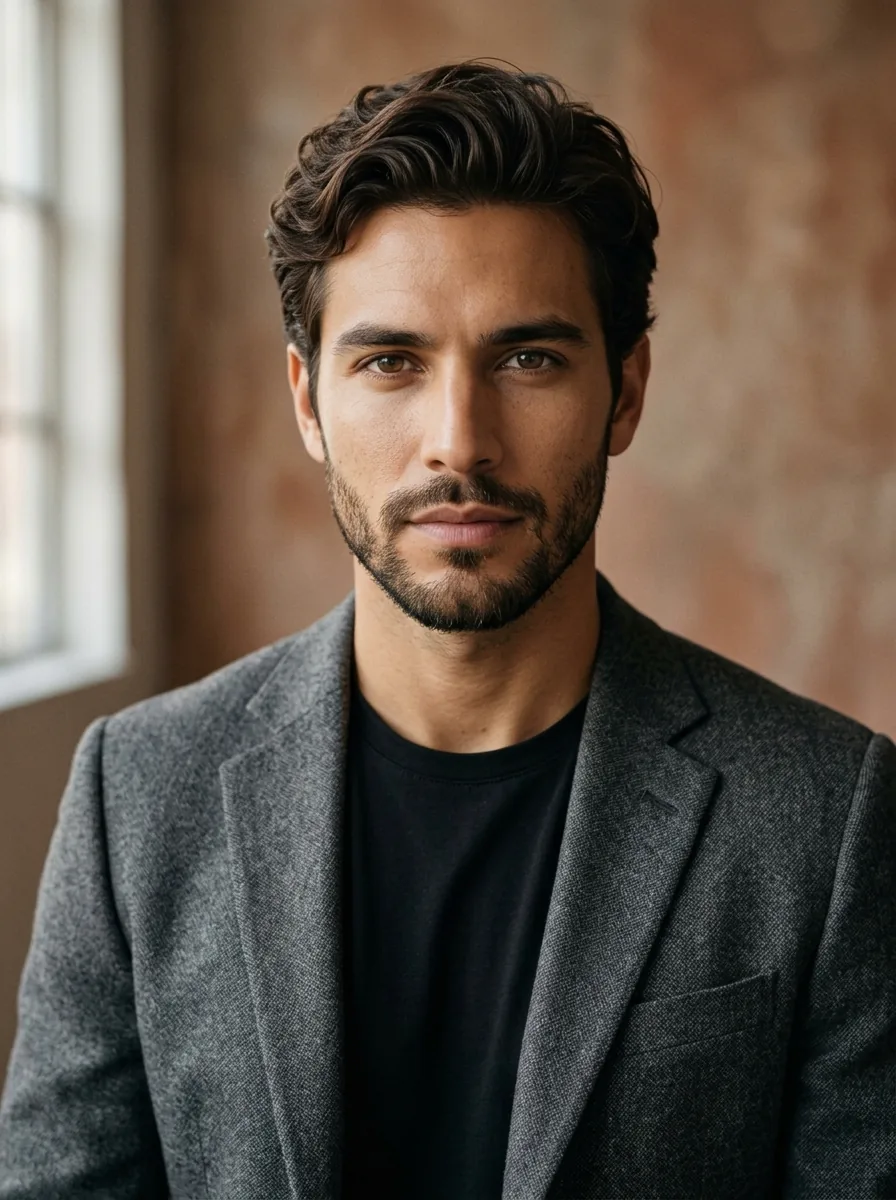 BeforeAfter
Men's top length, texture, and fringe comparison

 BeforeAfter
Women's color, length, fringe, and silhouette comparison
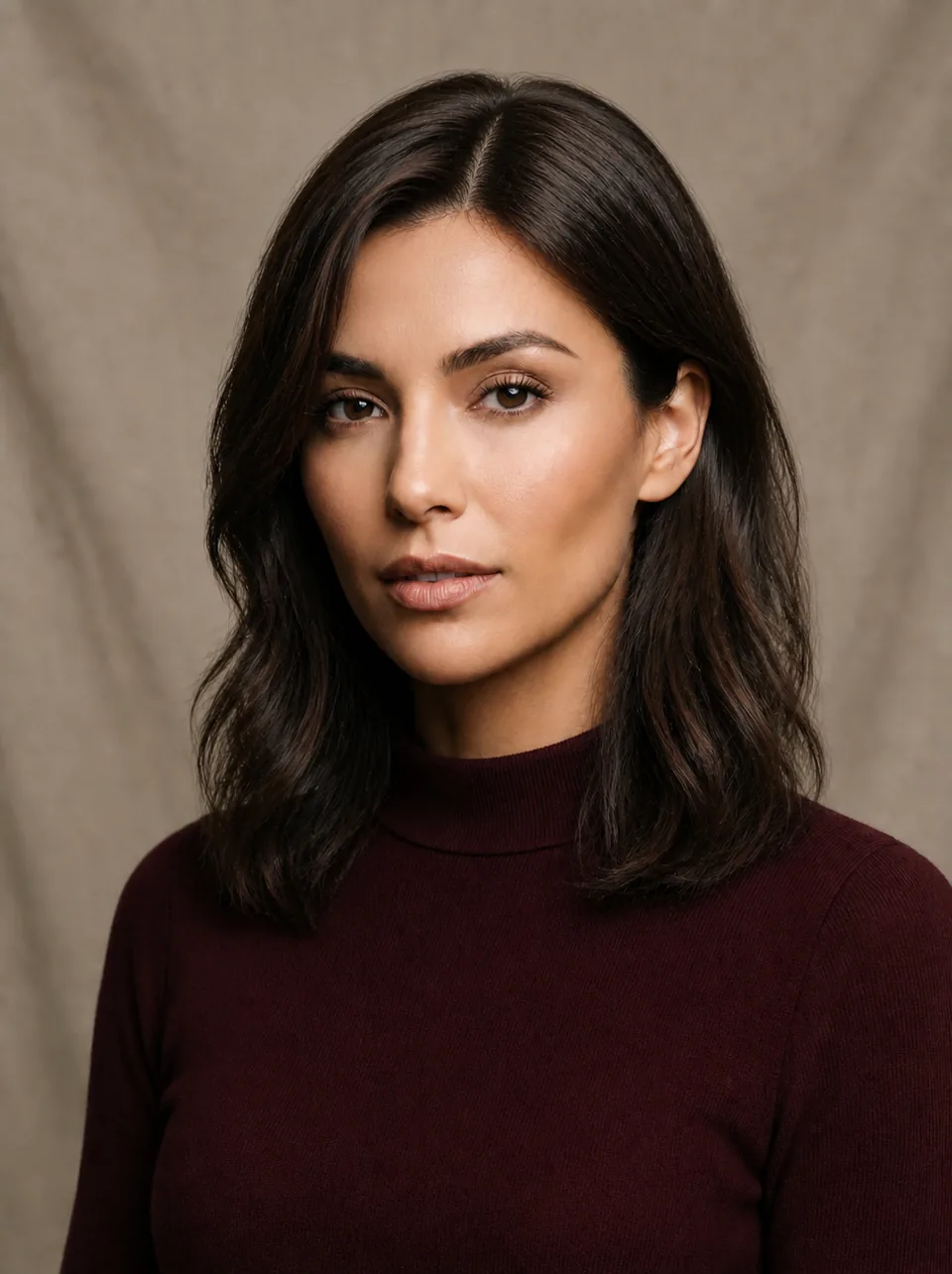
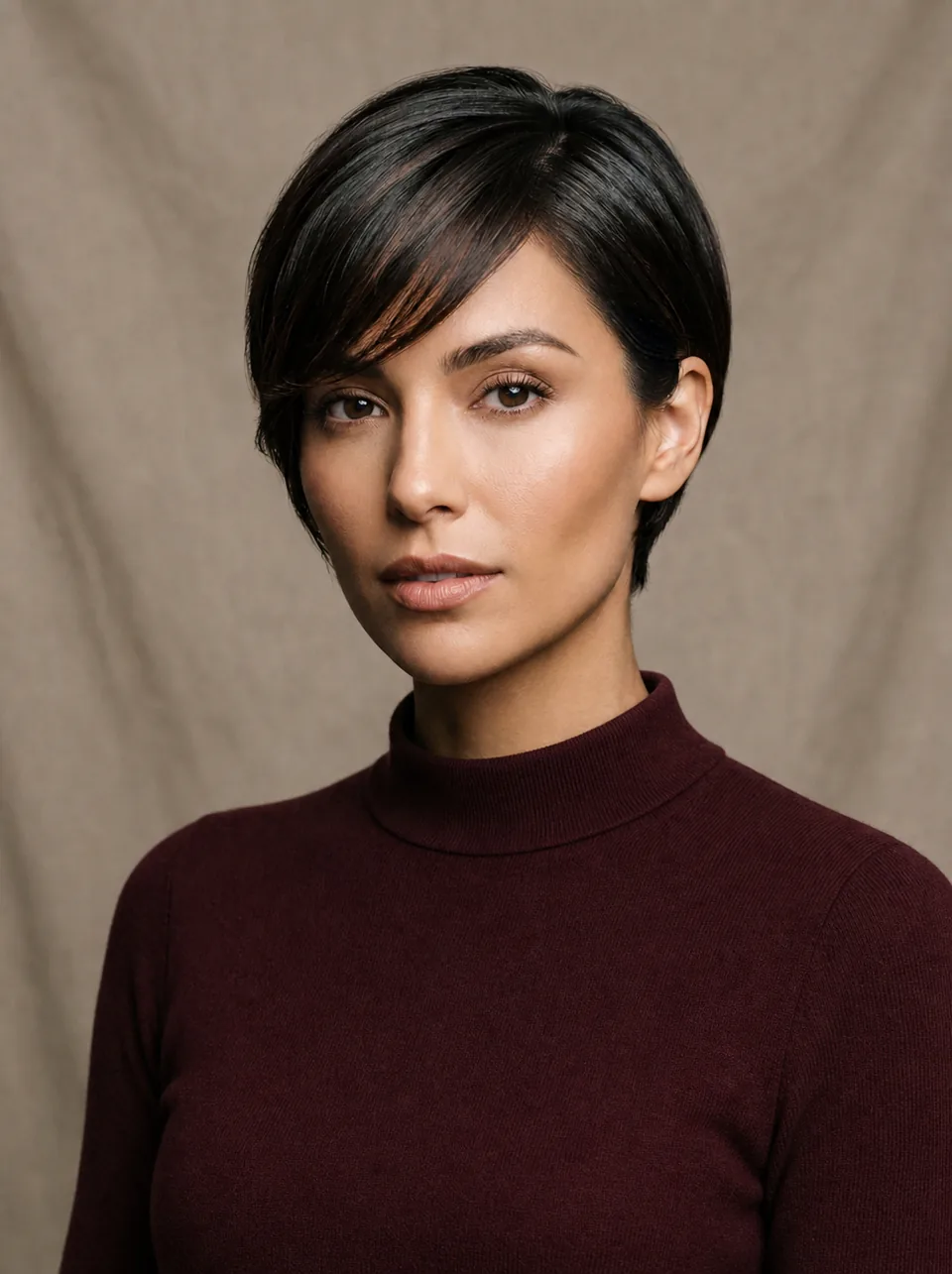 BeforeAfter
Women's short-to-long length and texture comparison
Original illustrative AI examples created for InFashi. Individual results vary with the photo and selected style.
Choose a front-facing, well-lit selfie where your hairline, face, and shoulders are visible, or start with a sample model.
Browse the hairstyle collection or add a reference image of the exact cut, fringe, texture, or length you want to preview.
Create the result, compare it with your original photo, and test another candidate before deciding what to show your stylist.
Haircut ideas for women and men
A useful virtual hairstyle test is more specific than “short hair” or “something with layers.” Start with two or three real candidates and compare the details that would change your appearance: length around the jaw, volume at the crown, fringe density, curl shape, or fade height. InFashi lets you select a style from the collection or upload a hairstyle reference when you already have a particular look in mind.
Useful for: Testing a major change in length around the chin and jawline.
Compare where the ends sit, whether the outline feels too wide or narrow, and how bangs change the balance of your face.
Useful for: Exploring a short cut before making an irreversible appointment.
Look at the exposed forehead, ears, cheekbones, and neckline. Try both soft and structured versions instead of judging one pixie style.
Useful for: Comparing fringe length and how much of the forehead remains visible.
Generate a few fringe densities. Light curtain bangs and a full blunt fringe can frame the same face very differently.
Useful for: Adding movement without losing all of your current length.
Check where the shortest layer begins and whether volume sits near the cheeks, jaw, or shoulders.
Useful for: Seeing how a fuller silhouette changes the overall shape of a cut.
Use the preview for shape and direction, while remembering that your natural curl pattern and styling routine affect the salon result.
Useful for: Comparing men’s cuts around the temples, sides, hairline, and top.
Specify fade height and top length. A low taper with curls creates a different profile from a high fade or a close buzz cut.
Face shape is a helpful starting point, but it is not a rulebook. Hair texture, density, current length, styling time, and personal taste matter just as much. Use the suggestions below to create a shortlist, then judge the previews on your own face instead of assuming one cut is automatically “correct.”
| Face shape | Starting points | What to compare |
|---|---|---|
| Oval | Bobs, crops, layers, curls, fades, and most fringe styles | Choose based on texture and maintenance because proportions are already balanced. |
| Round | Long layers, off-center parts, textured crops, or height at the crown | Notice whether the style adds vertical shape or concentrates width at the cheeks. |
| Square | Soft layers, waves, side fringe, or textured length on top | See whether the outline softens or emphasizes the jaw; either can be a deliberate choice. |
| Heart | Curtain bangs, chin-length bobs, side parts, or balanced volume | Look for a comfortable relationship between forehead width and the lower half of the style. |
| Long or oblong | Fringe, shoulder-length cuts, curls, or controlled side volume | Check whether the cut adds width without creating more visual height than you want. |
| Diamond | Side-swept fringe, chin-length shapes, layers, or textured crops | Compare how volume near the forehead and jaw balances prominent cheekbones. |
Want to compare the proportions in more detail? Read our complete face-shape hairstyle guide with original women's and men's before-and-after examples.
A photograph can show the outline of a haircut, but your natural hair determines how that shape behaves every day. Straight, wavy, curly, and coily hair can produce different silhouettes from the same reference. Also consider the distance between your current length and the proposed cut. Going from long hair to a pixie is a much larger commitment than adding face-framing layers.
Finally, think about your normal routine. Ask whether the style needs daily heat styling, curl definition, frequent barber visits, fringe trims, or regular color maintenance. A preview should help you select a look you can realistically maintain—not only the most dramatic transformation.
The input photo affects every result. A clear image makes it easier to judge the hairline, fringe, face-framing sections, and overall silhouette. You do not need a professional portrait, but you should avoid a pose or lighting setup that hides the areas the hairstyle needs to follow.
If your current hair covers much of your face, pull it away from the forehead and jaw when possible. Avoid editing your face before upload; filters can make it harder to compare a hairstyle against your normal appearance.
If the collection does not contain the exact cut you want, upload a reference image of the hairstyle. Choose a photo where the hair is clearly visible and photographed from an angle similar to your own selfie. A front-facing reference works best with a front-facing portrait because the visible length, fringe, part, and volume are easier to interpret consistently.
Use a clear, unfiltered photo with your face and hairline visible.
Select a clean image that clearly shows the cut, texture, and length.
Review the result on your face, then test a second variation for comparison.
Describe the important detail when saving the look for your stylist: for example, “chin-length bob with airy bangs,” “low taper with two inches of textured curls,” or “collarbone layers with a curtain fringe.” A precise description is more useful than asking the stylist to duplicate every pixel of an AI-generated image.
Use one portrait for every candidate. If you switch photos, changes in angle, expression, lighting, or camera distance can influence your preference more than the haircut itself. Generate a small shortlist from the same image and compare each result with the original.
Treat the generated image as a conversation starter. Save the original photo and your two favorite previews, then explain which parts matter most: the fringe, outline, fade height, top length, layers, or overall volume. Your stylist can tell you how the idea will translate to your current hair, whether the cut needs to be adjusted, and what daily styling it requires.
An AI preview cannot measure hair density, damage, growth patterns, or the exact behavior of your texture. It also cannot guarantee that a cut will fall identically after washing and styling. A professional consultation remains important—especially for major length changes, chemical services, or a style that depends on extensions.
Our complete salon-preparation article explains how to select references, compare previews, describe the cut, and ask your stylist the right questions before the appointment.
Read the haircut preview guide →Show your stylist a preview instead of describing a cut from memory or a celebrity photo.
See how bangs, length, and volume look on your actual face shape — not a random model.
Try short, long, layered, or textured looks and save your favorites before committing.
Start with free AI hairstyle try-ons and upgrade only when you need more.
Upload a photo and preview your new look in seconds.
Try hairstyles free