
 BeforeAfter
Drag handle horizontally to compare
Tortoiseshell butterfly frames
Warm gradient lenses and an upswept oversized shape
Virtual sunglasses try-on
Try on sunglasses online using your own photo. Preview aviator, square, round, cat-eye, rectangular, and oversized frames with InFashi before you buy.
Upload a clear portrait, then choose eyewear from the collection or add a reference image of the sunglasses you want to preview.
No photo? Try a sample · men & women
Or pick from collection
Browse and pick looks freely — create an account if you're new
Drag each image to compare the same person with and without sunglasses. These original examples include varied frames for women and men.
BeforeAfterWarm gradient lenses and an upswept oversized shape

 BeforeAfter
Thin metal frame, double bridge, and smoke-green lenses

 BeforeAfter
Structured frame shape with neutral charcoal lenses
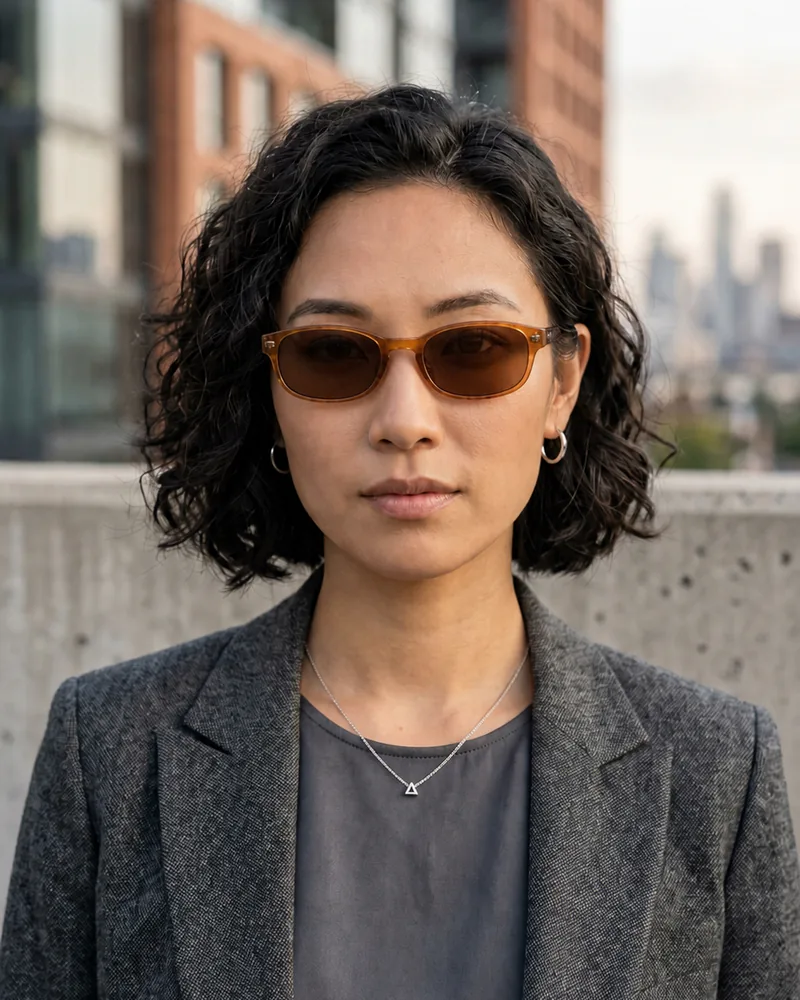
 BeforeAfter
Narrow translucent frame with softly tinted brown lenses

 BeforeAfter
Thin round frame with subtle green-gray lenses
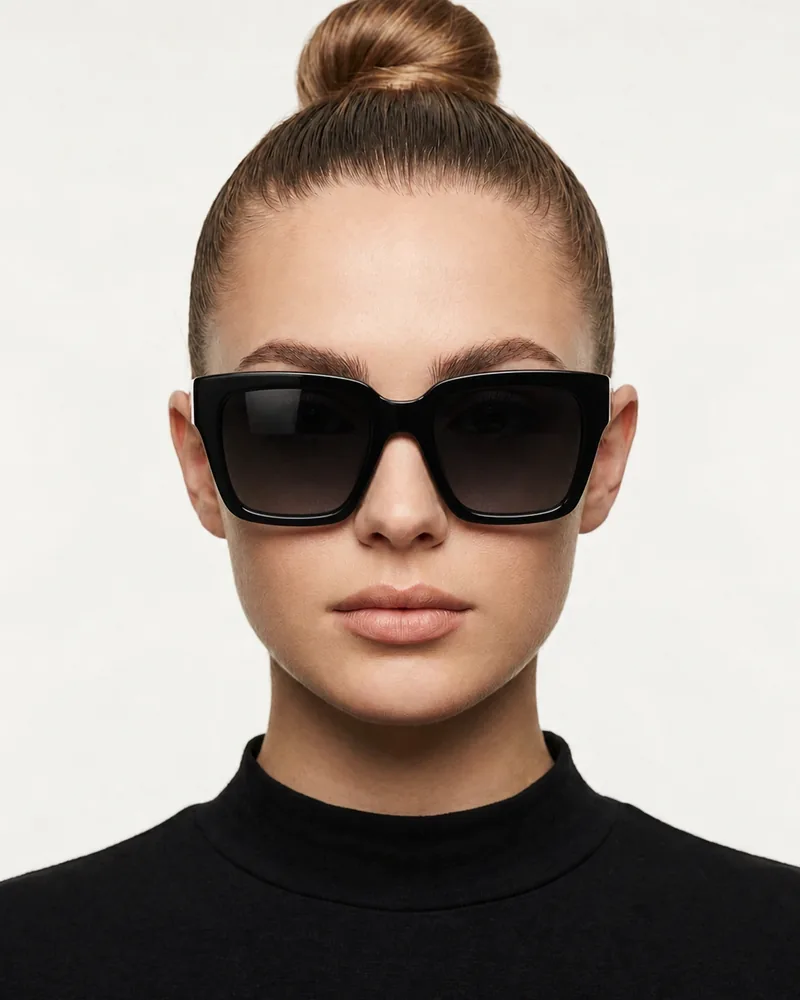
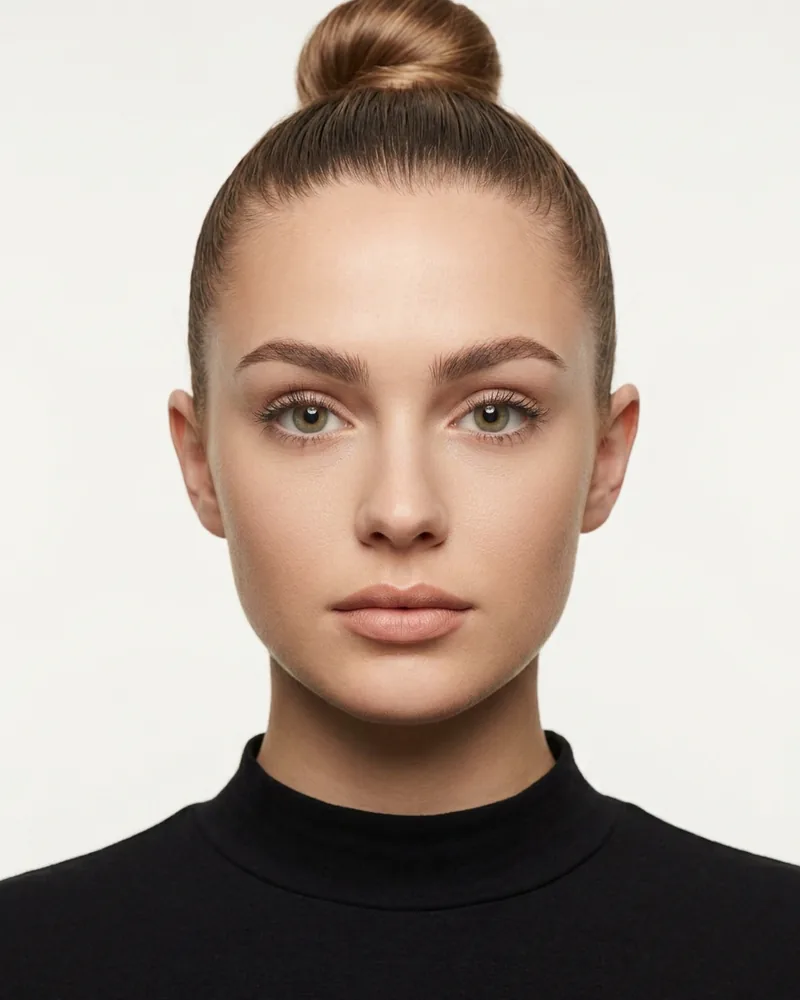 BeforeAfter
Bold geometric frame with dark gradient lenses
Original illustrative AI examples created for InFashi. Individual results vary with the photo and selected style.
Choose a front-facing photo without eyewear. Keep your eyes, brows, nose bridge, temples, and ears visible.
Select eyewear from the collection or upload a clean product image of the exact frame shape and lens tint you want to test.
Create the preview, compare it with your original portrait, and test a contrasting frame before making a shortlist.
Frame ideas for women and men
A useful virtual sunglasses try-on compares real candidates rather than dozens of nearly identical frames. Begin with two or three different silhouettes, then refine the shape, width, material, and lens color. InFashi lets you choose eyewear from the collection or upload a reference image when you already have a particular pair in mind.
Useful for: Comparing a light metal frame with a wide teardrop lens.
Check whether the bridge sits naturally and whether the lower edge extends too far down your cheeks.
Useful for: Testing a defined, structured outline around the eyes.
Compare frame width with your temples and notice whether narrow or deep lenses create the balance you prefer.
Useful for: Trying a softer curved shape or a thin metal frame.
Look at where the circles meet your brows and cheeks; small changes in lens diameter can alter the effect considerably.
Useful for: Exploring an upswept outer edge and a more expressive silhouette.
Compare subtle and dramatic versions. The angle of the upper corners matters as much as the overall frame width.
Useful for: Seeing how a bold frame covers the brow and upper cheek area.
Check coverage and proportion carefully so the frame looks intentional without overwhelming the rest of your face.
Useful for: Testing a lighter fashion look with amber, clear, or softly tinted acetate.
Compare how frame color works with your skin tone, hair, jewelry, and the clothes you wear most often.
Face-shape advice is a starting point, not a rule. Frame width, bridge comfort, hairstyle, personal style, and the look you want can matter more than a category such as round or square. Use these ideas to build a shortlist, then judge each preview on your own face.
| Face shape | Starting points | What to compare |
|---|---|---|
| Oval | Aviator, square, round, cat-eye, or oversized frames | Most shapes can work, so concentrate on frame width, bridge position, and personal style. |
| Round | Square, rectangular, geometric, or upswept frames | Notice whether a defined frame adds the angular contrast you want or feels too rigid. |
| Square | Round, oval, aviator, or softly curved frames | See whether curved lenses soften the outline or whether you prefer a stronger geometric look. |
| Heart | Aviator, butterfly, round, or lighter lower rims | Check the relationship between frame width at the brow and the narrower lower half of the face. |
| Long or oblong | Oversized, deep square, round, or tall-lens frames | Frames with more lens depth can add visual width; compare them with very narrow designs. |
| Diamond | Cat-eye, oval, browline, or softly curved frames | Look at how the upper frame balances the cheekbones without extending too far past the temples. |
The outer edges of a frame usually look most balanced when they sit near the widest part of your face rather than extending far beyond it. Look at whether the bridge appears centered and whether the upper rim follows, covers, or competes with your brows. These relationships often tell you more than a generic face-shape label.
Your portrait determines how easy it is to judge frame position and proportion. A front-facing photo makes both sides of the face visible and gives the AI a clearer view of the nose bridge, temples, brows, and cheeks. You do not need a professional photo, but consistency is important when comparing several frames.
Avoid uploading a portrait where glasses are already covering your eyes. Removing an existing frame while adding a different one creates unnecessary uncertainty around the bridge, brows, and temples.
If you want to preview a pair from an online store, upload a clean reference image that shows the front of the sunglasses. Product photos on a plain background are generally easier to interpret than lifestyle photos where part of the frame is hidden by hair, hands, or a turned head.
Use a clear photo with your eyes, brows, nose bridge, and temples visible.
Choose a sharp front view that shows the complete frame and lens shape.
Compare the result with your original, then test one contrasting frame.
When saving the result, record the product name, listed frame width, bridge width, temple length, and lens dimensions from the retailer. The preview helps with appearance; the measurements help determine whether the physical pair is likely to fit.
Keep the same portrait for every candidate. Switching photos changes lighting, camera distance, head angle, and expression, which can make one frame appear more flattering for reasons unrelated to the sunglasses. Generate a small shortlist and compare each result with the original photo.
A generated image is a styling aid, not a physical measurement. It cannot confirm that a frame will stay in place, avoid touching your cheeks, fit comfortably behind your ears, or match the retailer’s exact dimensions. Compare the product measurements with a pair you already own and check the seller’s fitting and return guidance.
The preview also cannot verify UV protection, polarization, lens category, prescription compatibility, impact resistance, or the exact appearance of a tint in real sunlight. Confirm those properties in the product specifications before purchasing sunglasses for eye protection or a specific activity.
Use the dedicated glasses page for clear-lens and prescription-style frames, or read the complete eyewear guide for photo and comparison tips.
Preview aviator, round, square, cat-eye, rectangular, and oversized sunglasses on your own face.
Judge brow coverage, frame width, lens depth, and overall style on your face rather than a retailer’s model.
Add a clear reference image when you want to preview sunglasses from a particular product page.
Begin with free AI sunglasses try-ons and upgrade only when you need more generations.
Upload a photo and preview your new look in seconds.
Try sunglasses free