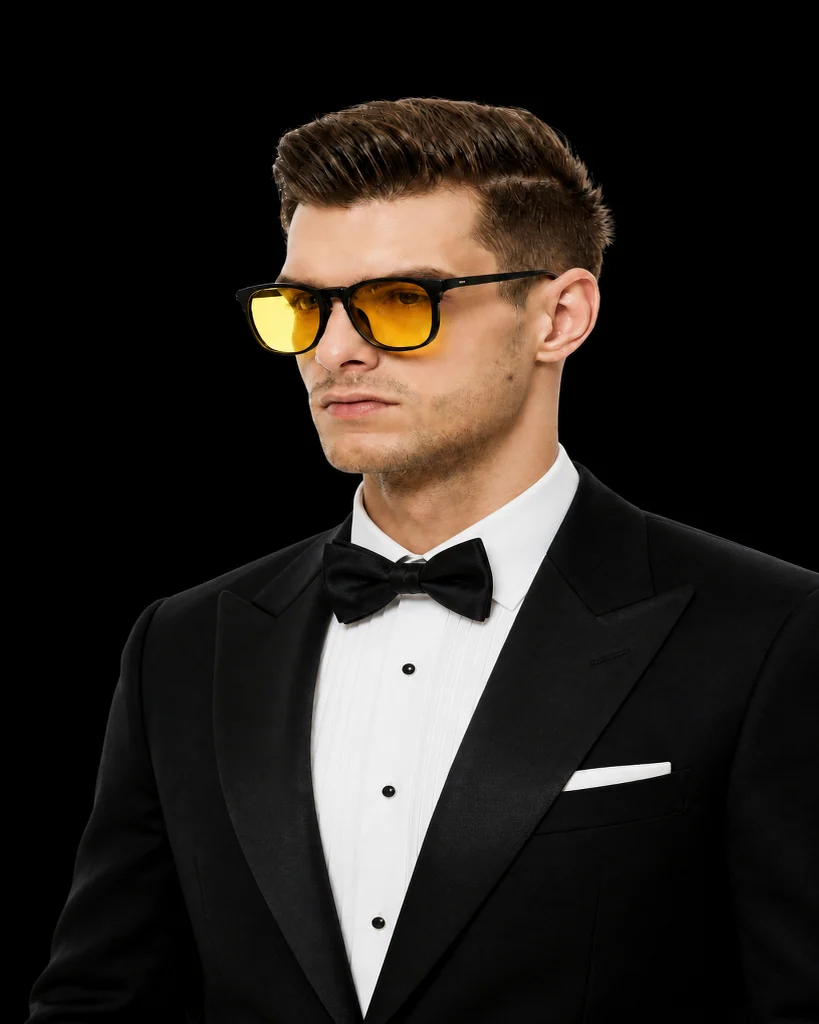
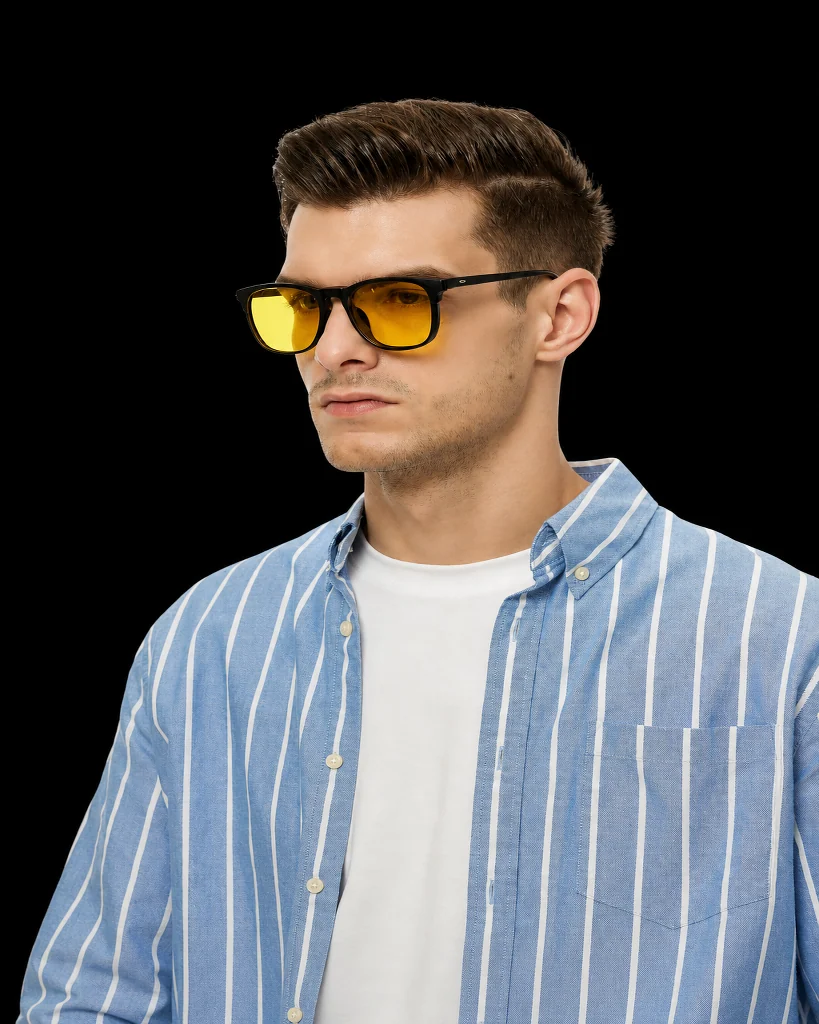
 BeforeAfter
Outfit · Classic black tuxedo
AI virtual try-on for clothes
Upload a photo and use InFashi's free AI virtual outfit try-on to preview shirts, dresses, suits, streetwear, and complete looks before you buy.
Upload a clear photo, then choose an outfit from the collection or add the exact clothing image you want to preview.
No photo? Try a sample · men & women
Or pick from collection
Browse and pick looks freely — create an account if you're new
Drag to compare the same photo before and after
BeforeAfterOutfit · Classic black tuxedo
Use a clear, well-lit photo of yourself. Front-facing shots usually give the most realistic AI try-on results.
Pick an outfit, hairstyle, jewelry, or glasses from our catalog — or upload your own reference image.
InFashi generates a photorealistic preview so you can compare styles before you buy, book a salon visit, or share with friends.
Preview how an outfit sits on your body before ordering online — less guesswork, fewer returns.
No AR app install required in the browser. Upload once and experiment with multiple outfits.
Choose from InFashi collections or upload a clothing reference image to try on.
Start with a free virtual try-on and upgrade only if you need more generations.
An AI virtual try-on for clothes lets you upload your photo and preview how outfits look on you — without a physical fitting room. InFashi maps garments onto your image while aiming to preserve your face, pose, and proportions.
People use virtual clothing try-on to compare styles for work, weddings, travel, or everyday shopping. It is especially useful when product photos alone do not show how a silhouette will look on your body.
Use a full-body or clear upper-body photo with good lighting and a simple background. Avoid heavy filters or cropped faces only. Front-facing poses help the model place sleeves, necklines, and hems more naturally.
If you are trying a specific garment from a store, upload a clean product photo of that outfit as your reference. The closer the reference is to a flat or mannequin shot, the easier it is for the AI to transfer the clothing.
A virtual outfit try-on is most useful at the start of a buying decision, when you are comparing several colors, silhouettes, or levels of formality. Use one consistent personal photo for every generation so the garment remains the main variable. This makes it easier to compare a shirt against a blouse, a casual outfit against tailoring, or one dress shape against another.
Treat the result as a visual styling preview rather than a size guarantee. AI can help you judge color, neckline, sleeve shape, layering, and overall balance, but it cannot measure your body, feel the fabric, or confirm how a real garment moves. Check the retailer's size chart, measurements, materials, reviews, and return policy before ordering.
You can use the same AI clothing try-on workflow for many categories. For shirts and tops, compare the collar, neckline, shoulder line, sleeve length, color, and how the top works with your existing trousers or jeans. For dresses, include your legs and shoes so you can judge the waist and hem. For suits, check the jacket length, lapels, shoulder structure, trouser line, and level of formality.
When testing a complete outfit, review the look from top to bottom instead of concentrating on one attractive garment. Notice whether the colors work together, where the visual waist sits, whether the layers feel balanced, and whether the outfit suits the occasion. Generate another option when the AI changes your face, pose, proportions, hands, or background too much for a fair comparison.
If you want to try on clothes from a retailer, save a clean product photo that clearly shows the garment from the front. A flat-lay, mannequin image, or uncluttered product photograph usually provides a clearer reference than a screenshot covered by menus, prices, text, or another person's pose. Crop away unrelated page elements without removing important sleeves, hems, or garment details.
The generated image helps you decide whether the style belongs on your shortlist; it does not reproduce every seam, print, logo, button, or fabric property perfectly. Return to the original product page to confirm the exact item details, availability, price, delivery terms, and returns before purchasing.
The browser tool works without installing an app: upload your photo, choose or upload clothing, and generate a preview on this page. If you prefer to compare looks on your phone, the InFashi Android app is also available through Google Play. In either version, start with a clear photo and keep the same source image when comparing outfits.
Upload a photo and preview your new look in seconds.
Try on clothes free