How to Try On Sunglasses Online Using Your Photo
Upload a photo and try on sunglasses online with AI. Compare aviator, wayfarer, round, cat-eye, and oversized frames before buying.
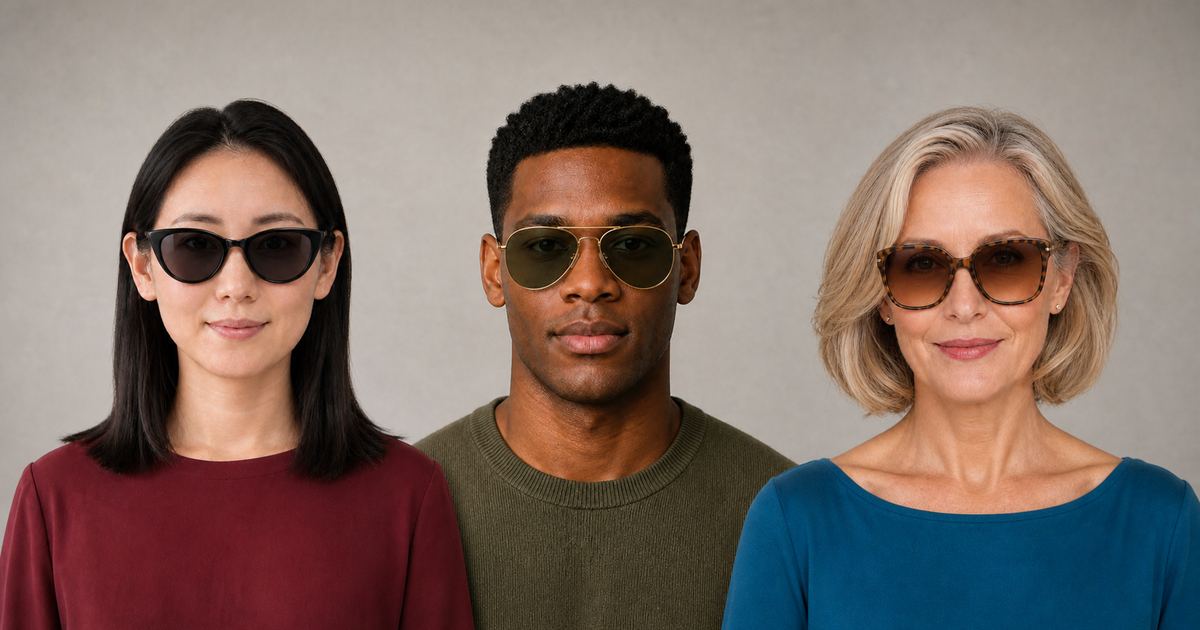
A virtual sunglasses try-on lets you upload a photo and preview frames on your own face before ordering. Instead of judging sunglasses only on a retailer's model, you can compare the frame outline, width, brow coverage, lens depth, and color against your features.
InFashi can generate an AI sunglasses preview from a clear portrait and a frame selected from the collection or supplied as a reference image. The result is useful for creating a shortlist, but it is a visual styling guide rather than a measurement or safety test.
How to try on sunglasses online with your photo
- Open the AI sunglasses try-on and upload one clear portrait without eyewear.
- Choose a frame from the collection or upload a front-facing product image of the sunglasses you want to test.
- Generate the preview and check that your face shape, head angle, hairstyle, and skin tone remain consistent.
- Save the useful result, then test a contrasting shape with the same source portrait.
- Compare your shortlist with the product dimensions, lens specifications, reviews, and return terms before buying.
Keep the same source photo for every comparison. Changing the angle, lighting, or expression makes it harder to decide whether the frame or the photograph caused the difference.
Original sunglasses before-and-after examples
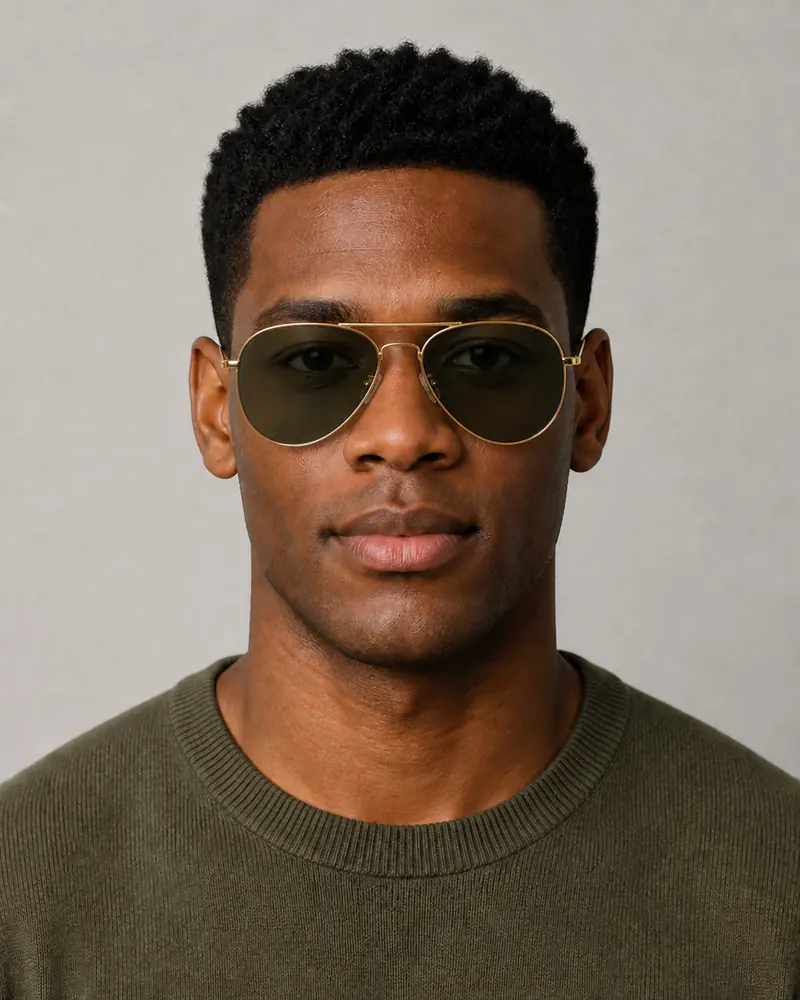
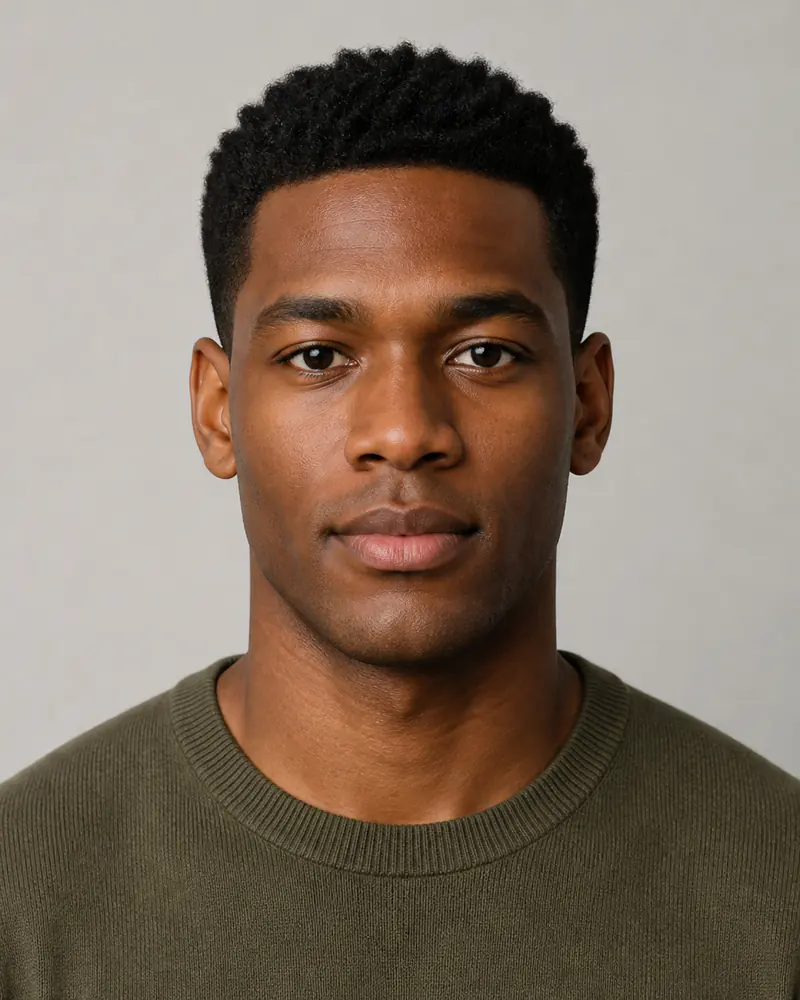
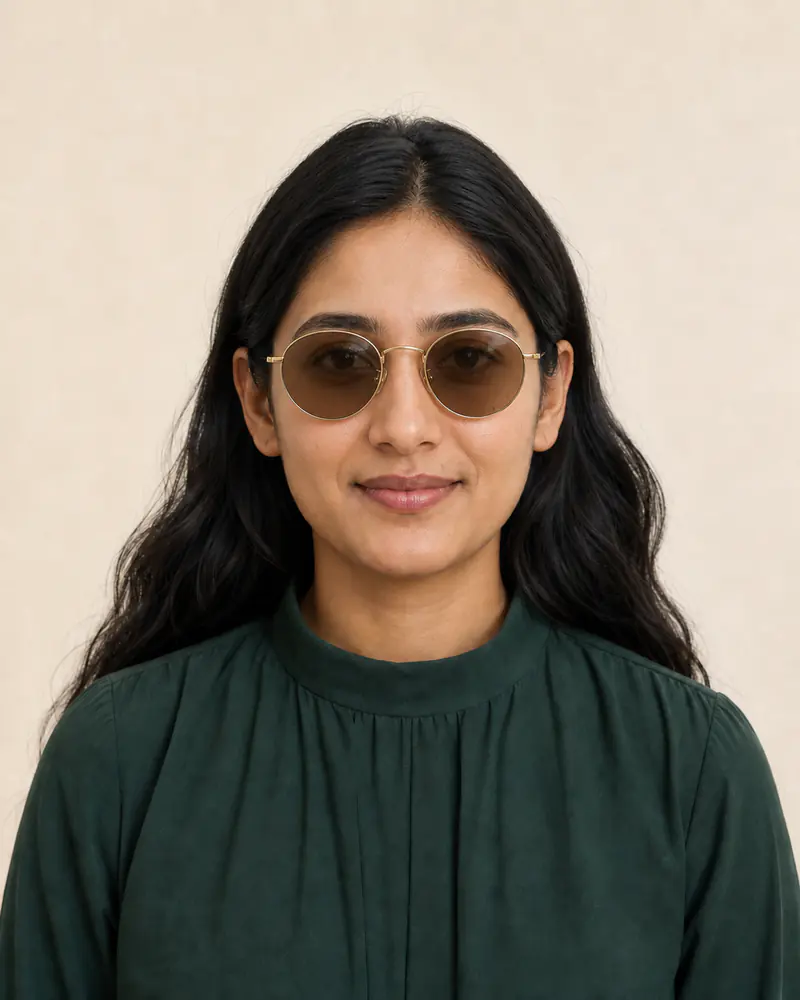
These five original examples were created specifically for this guide. Within each pair, the identity, expression, hair, clothing, lighting, and crop remain consistent while only the sunglasses change. Drag each divider to compare the frame placement and scale.
The comparisons cover black cat-eye, gold aviator, oversized tortoiseshell, black wayfarer-style, and thin round gold frames on different women and men.

 BeforeAfter
Women's sunglasses · Black cat-eye frames
 BeforeAfter
Men's sunglasses · Gold aviator frames

 BeforeAfter
Women's sunglasses · Oversized tortoiseshell frames

 BeforeAfter
Men's sunglasses · Black wayfarer-style frames
 BeforeAfter
Women's sunglasses · Round gold frames
Compare five useful sunglasses shapes
- Aviator sunglasses use a thin metal frame, double bridge, and teardrop lenses. Check whether the lower lens edge leaves comfortable space above your cheeks.
- Wayfarer-style sunglasses have a structured acetate outline and gently trapezoid lenses. Compare the top line with your eyebrows and the frame width with your temples.
- Round sunglasses soften an angular impression and emphasize the center of the face. Check that the circles do not look too narrow or extend awkwardly beyond your face.
- Cat-eye sunglasses lift toward the outer corners. Compare subtle and dramatic angles, because a small change in upsweep can produce a very different effect.
- Oversized sunglasses create stronger coverage and visual presence. Make sure the frame does not appear to rest on the cheeks or hide the eyebrows completely.
Face-shape advice can suggest starting points, but it is not a rule. A frame that technically contrasts with your face shape may feel wrong, while a similar outline may suit your personal style. Use the preview to compare effects rather than to restrict your choices.
What to inspect in an AI sunglasses preview
- Frame width: the outside edges should look balanced with the widest part of your face.
- Bridge placement: check whether the frame appears centered and sits naturally on the nose.
- Brow relationship: compare frames that follow, reveal, or deliberately cover part of the brow line.
- Lens depth: notice the space between the lower lenses and your cheeks, especially when you smile.
- Color balance: compare black, tortoiseshell, translucent, silver, and gold frames against your coloring and usual clothes.
Discard a generation if the glasses are tilted, the temples do not align, the bridge floats, or your facial structure changes. A polished image is not useful when the frame placement is implausible.
Use a clear front-facing portrait
The best photo for an online sunglasses fitting is sharp, evenly lit, and taken at eye height. Face the camera directly, use a relaxed expression, and keep your head level. Pull hair away from the temples when possible so the AI can understand where the arms of the frame should sit.
Avoid existing eyewear, hats, heavy beauty filters, deep shadows, extreme angles, wide-angle close-ups, and cropped ears. A simple background helps, although accurate face visibility matters more than creating a studio photograph.
Choose a useful sunglasses reference image
When trying a specific product, upload a sharp image that shows the complete front of the frame and both lenses. A centered product photograph on a plain background is easier to interpret than a frame photographed at a steep angle or already worn by another person.
AI may simplify tiny logos, hinges, lens reflections, translucent materials, and exact color gradients. Return to the retailer's close-up photos for construction details and use the generated result mainly to compare the overall appearance.
Visual style, physical fit, and eye protection are different
An AI sunglasses simulator cannot measure your head or confirm bridge comfort, temple pressure, frame weight, hinge quality, prescription compatibility, or whether the lenses touch your cheeks. Compare the listed lens width, bridge width, temple length, and total frame width with a comfortable pair you already own.
The preview also cannot verify UV protection, polarization, lens category, impact resistance, or driving suitability. Those are product and safety specifications. Confirm them with the retailer, and use a qualified optician when you need prescription lenses or fitting advice.
Create a short sunglasses comparison
Test three candidates with the same portrait: one familiar shape, one contrasting frame, and one bolder color or size. Save the most realistic previews, compare the actual dimensions, and check the return policy. This turns virtual try-on into a practical shortlist instead of an endless collection of generated images.
Frequently Asked Questions
- Can I upload a photo and try on sunglasses online?
- Yes. Upload a clear front-facing portrait, then choose sunglasses from the InFashi collection or add a clean product image of the frame you want to preview.
- Is the virtual sunglasses try-on free?
- InFashi has a free plan for initial sunglasses previews. Paid plans are available if you want to generate more comparisons.
- Can an AI preview tell whether sunglasses will fit?
- It can help you judge visual proportion, but it cannot confirm physical frame width, bridge comfort, temple length, lens quality, or cheek clearance. Verify the retailer's measurements and return policy.
- What photo works best for trying on sunglasses?
- Use a sharp, evenly lit, front-facing portrait without eyewear. Keep your eyebrows, nose bridge, temples, cheekbones, and ears visible.
- Does virtual try-on verify UV protection or polarization?
- No. A visual preview cannot test UV protection, polarization, lens category, impact resistance, or optical quality. Confirm those specifications with the seller.
Try it on InFashi
Upload a photo in your browser, or download the Android app and preview your look on your phone.