How to Build Outfits From Clothes You Already Own With AI
Use photos of clothes you own to plan AI outfit combinations, compare layers and colors, and create a smaller, more practical wardrobe shortlist.
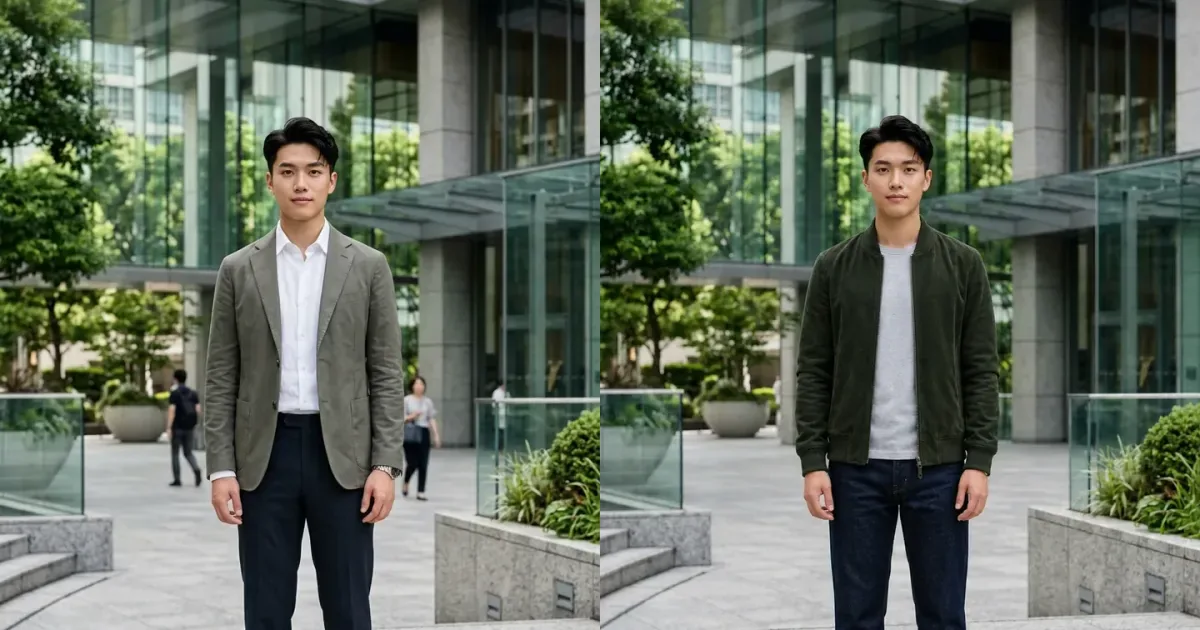
An AI outfit builder can be useful even when you are not shopping. By photographing clothes you already own, you can preview new combinations, plan layers, compare color balance, and notice underused items before buying something similar. The goal is not to generate an imaginary wardrobe; it is to make the real one easier to use.
InFashi lets you combine a personal photo with clothing references for visual outfit experiments. Organize a small set of clear garment images, choose one anchor piece, and change one item at a time. This creates more useful comparisons than asking AI to redesign the entire look repeatedly.
How to build outfits from your wardrobe with AI
- Choose ten to twenty useful wardrobe pieces rather than photographing everything at once.
- Take one clear front-facing photograph of each garment in even light.
- Upload a consistent full-body photo of yourself for outfit previews.
- Start with one anchor item, then compare tops, bottoms, layers, colors, and shoes around it.
- Save only realistic combinations and turn them into a small weekly or occasion-based shortlist.
Original AI wardrobe outfit example
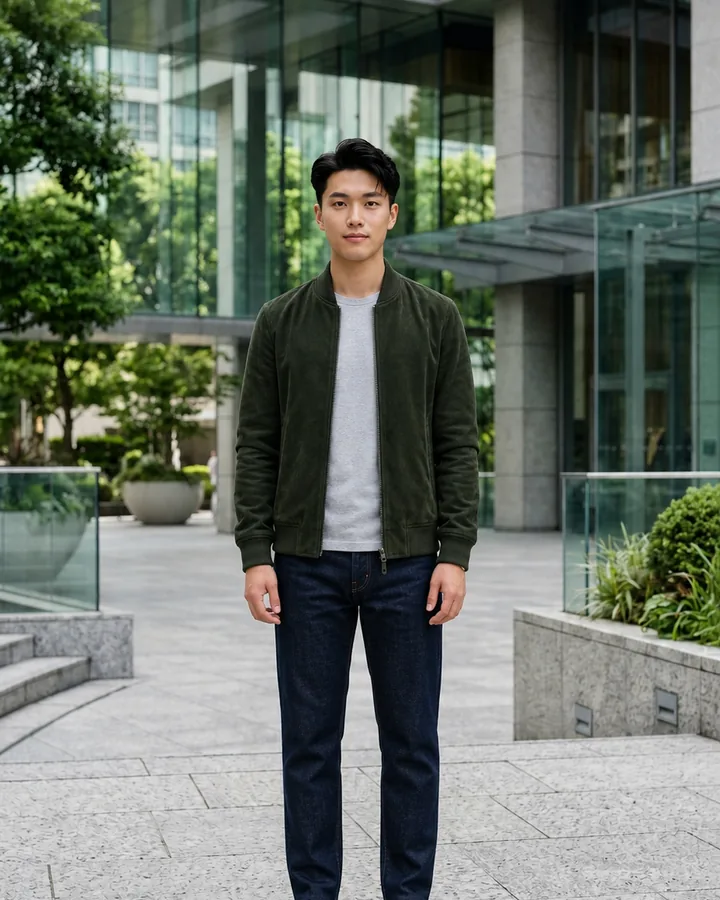
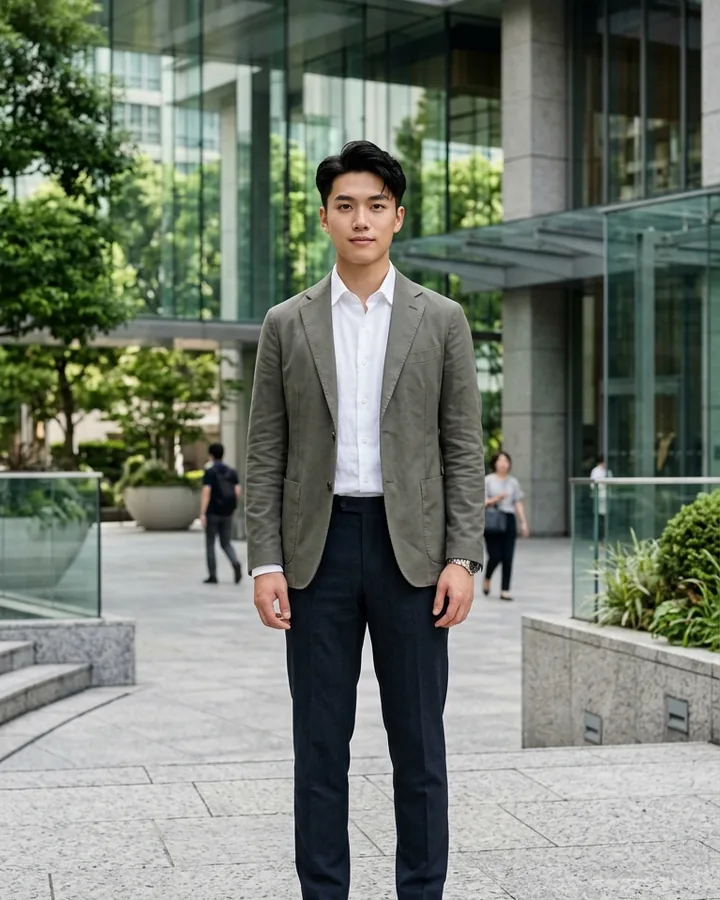
This comparison uses an unused full-body photograph supplied for InFashi content. The man's identity, expression, hairstyle, pose, hands, body proportions, white sneakers, office plaza, and daylight remain consistent while formal separates change into common casual wardrobe pieces.
Drag the slider to compare an olive blazer and tailored trousers with a forest-green bomber jacket, gray T-shirt, dark-indigo jeans, and the same white sneakers.
 BeforeAfter
AI wardrobe outfit · Green bomber jacket and dark jeans
Photograph clothes so they are easy to reuse
Place one garment against a plain contrasting surface or hang it straight in soft daylight. Show the complete neckline, sleeves, closure, waist, pockets, and hem. Smooth severe folds without removing the item's natural texture. Avoid photographing clothes in a pile, covering them with hands, or including several similar pieces in one frame.
Use simple filenames or folders such as tops, trousers, skirts, dresses, jackets, and shoes. Add practical details you already know: season, color, formality, warmth, and whether the item is comfortable for a full day. AI helps with the visual combination; your own notes supply the real-world information an image cannot know.
Start every outfit with an anchor piece
An anchor is the item you definitely want to wear: a blazer for a meeting, jeans for the weekend, a dress for dinner, or shoes suited to a long walk. Keep that item fixed while testing two or three supporting pieces. If everything changes at once, it becomes difficult to understand why one result works better.
A practical sequence is bottom, top, layer, then shoes and accessories. Compare one fitted and one relaxed option, check whether colors repeat or compete, and consider where the outfit will be worn. Weather, dress code, laundry status, movement, and comfort remain human decisions even when AI provides the preview.
Create small outfit formulas
- Straight jeans, plain T-shirt, casual jacket, and clean sneakers for an everyday look.
- Tailored trousers, knit top, blazer, and loafers for a flexible work outfit.
- Midi skirt, tucked shirt, light layer, and ankle boots for transitional weather.
- Simple dress, cardigan or coat, and occasion-appropriate shoes for quick planning.
- Neutral base pieces with one stronger color or texture when the outfit feels unfinished.
Use AI to reduce unnecessary shopping
Before buying a new item, preview it with several clothes you already own. If it only works with one imagined outfit, it may not solve a real wardrobe need. If it coordinates with several existing tops, bottoms, layers, and shoes, it may be more useful. Still verify size, materials, durability, care, price, and returns separately.
Turn saved combinations into a weekly rotation
Group the most believable results by purpose—work, everyday, evening, travel, or a specific event—and keep only combinations you can actually assemble. A small rotation of repeatable looks saves more time than a large gallery of unrealistic ideas. Note which pieces appear repeatedly; those are often the most versatile parts of the wardrobe and useful reference points for future purchases.
Check every generated outfit
Inspect the face, body proportions, hands, garment edges, fastenings, prints, pockets, hems, and footwear. Reject results that invent key details, change the person's shape, merge layers, or distort the clothing. Save only believable previews and refer back to the original wardrobe photographs before deciding what to wear.
Use any Try button on this page to open InFashi's AI clothes tool, or download the Android app from the action panel. Begin with a small set of clothes you genuinely wear, build several repeatable outfit formulas, and expand the collection only when the process is useful.
Frequently Asked Questions
- Can AI create outfits from clothes I already own?
- Yes. Photograph individual wardrobe pieces clearly, combine selected references with your personal photo, and use AI previews to explore how those items might work together visually.
- Do I need to photograph my whole wardrobe?
- No. Start with frequently worn tops, bottoms, jackets, dresses, and shoes. A small useful collection is easier to organize and compare than photographing every item immediately.
- How should I photograph clothes for an AI outfit builder?
- Use even light, a plain background, and one garment per image. Show the complete front without folds, hands, hangers, labels, or other clothes covering important details.
- Can an AI wardrobe planner tell me what fits?
- No. It can help visualize combinations you already own, but it cannot assess comfort, movement, or fit unless you physically wear the items. Treat it as a styling and planning tool.
- What is the easiest way to start building outfits?
- Choose one anchor piece, add one compatible top or bottom, then test a layer and shoes. Change only one item at a time so you can see what improves the combination.
Try it on InFashi
Upload a photo in your browser, or download the Android app and preview your look on your phone.