What Color Clothes Suit Me? Preview Colors With AI
Discover what color clothes suit you by previewing warm, cool, light, dark, and neutral clothing colors on your own photo with AI before buying.
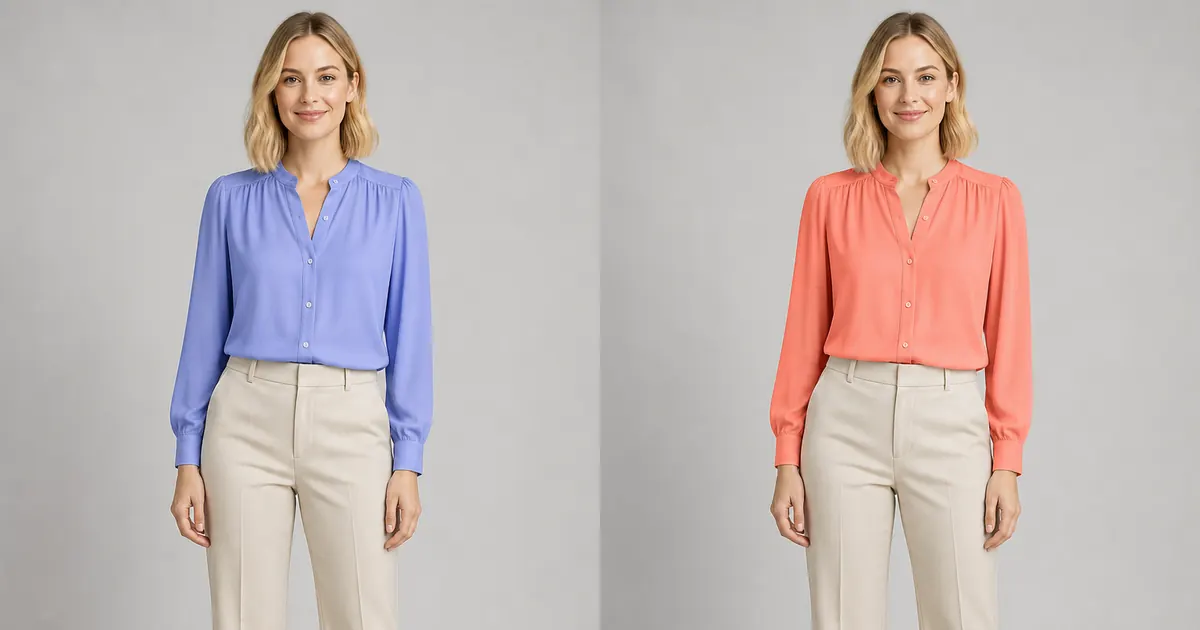
The clothing colors that suit you are the ones that create the overall effect you want: brighter, softer, warmer, cooler, higher contrast, more neutral, or more dramatic. Skin tone and undertone can suggest starting points, but hair, eyes, personal style, makeup, surrounding colors, lighting, and the occasion also change how a garment feels.
Instead of accepting a rigid seasonal-color label, compare the same garment shape in several colors on one unchanged photo. This isolates color from fit and styling. An AI clothing color preview can help you narrow the options, while real fabric in natural daylight remains the final check before purchasing.
How to preview clothing colors on your photo
- Upload a sharp, front-facing photo taken in soft neutral light without a strong beauty or color filter.
- Choose one simple top, shirt, sweater, dress, or jacket shape to keep constant.
- Test a warm color, a cool color, a neutral, and one lighter or darker alternative.
- Reuse the same portrait and keep the trousers, accessories, pose, crop, and background consistent.
- Save the strongest comparisons, then check similar real fabrics beside your face in daylight.
Original clothing color comparison examples
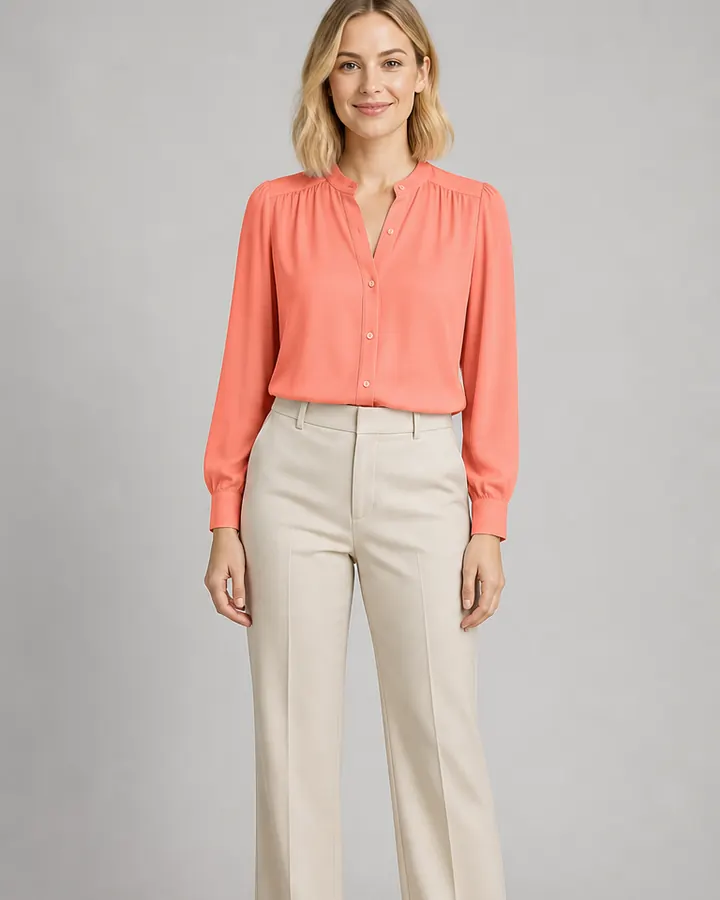
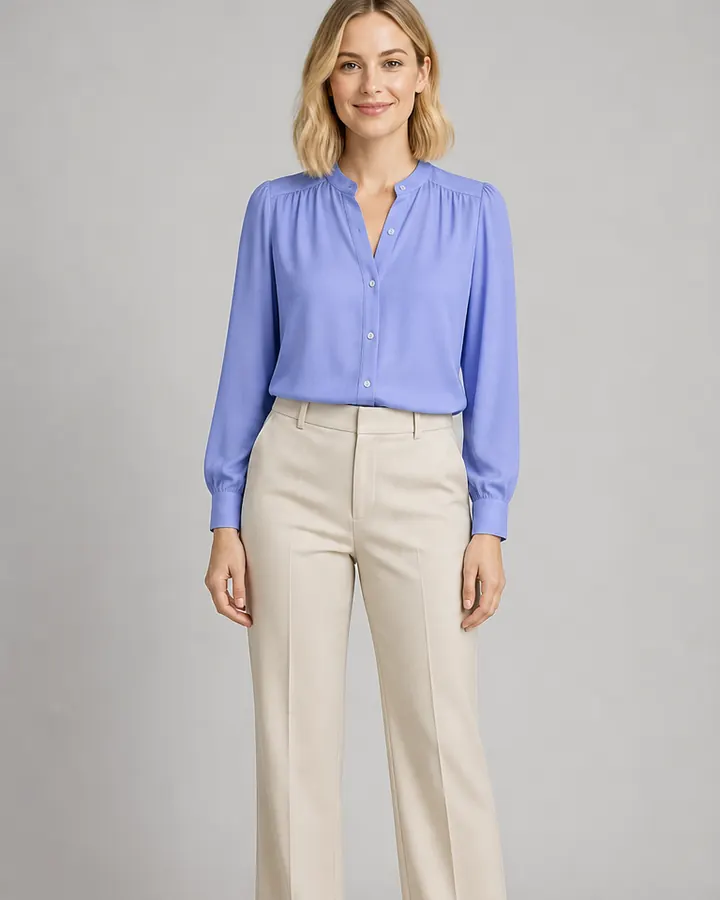
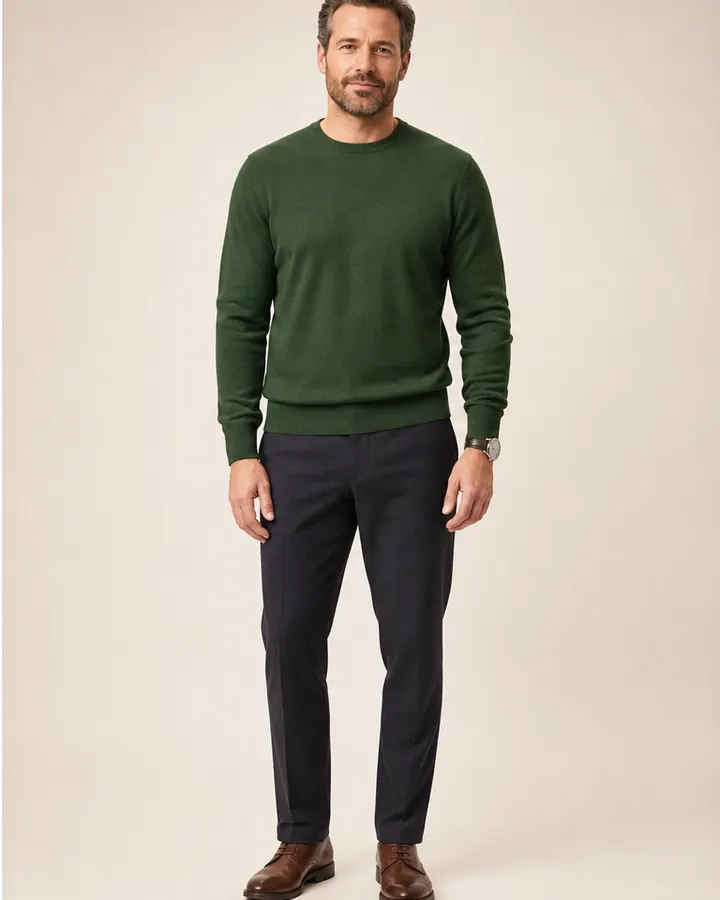
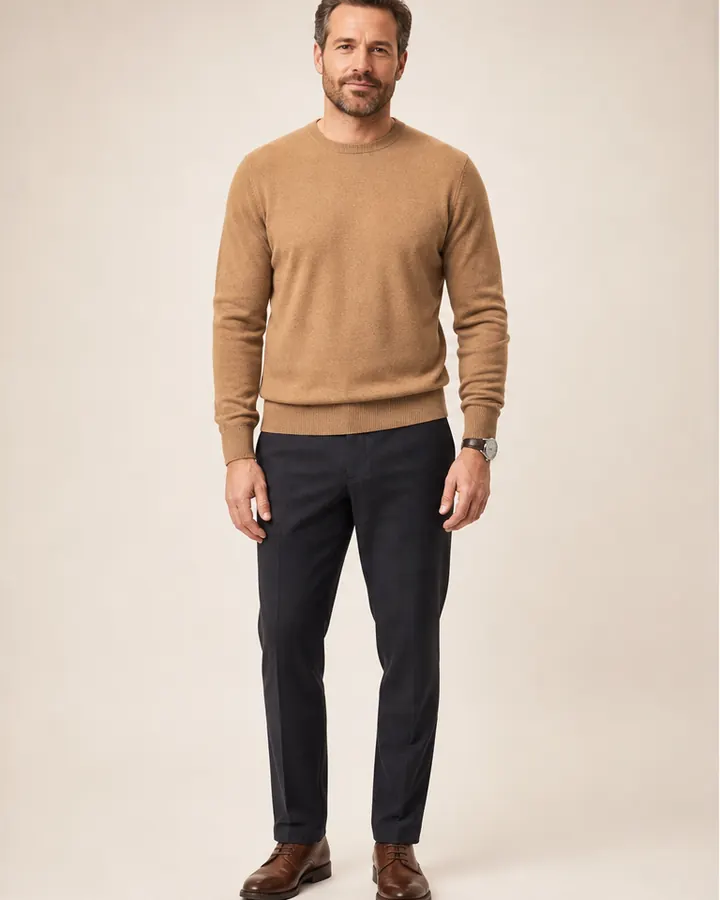
These examples use new fictional models and fixed studio conditions. The garment construction, identity, expression, pose, skin tone, hairstyle, trousers, accessories, camera, and lighting stay consistent while only the garment color changes. That makes the comparison more useful than judging unrelated photographs.
The first pair compares a cool periwinkle blouse with warm coral. The second compares the same fine-knit sweater in camel and forest green. There is no universal winner; notice the different contrast, warmth, and mood each color creates.
 BeforeAfter
Women's clothing color · Periwinkle to coral blouse
 BeforeAfter
Men's clothing color · Camel to forest-green sweater
Start with warm, cool, and neutral colors
Warm clothing colors often include coral, rust, tomato red, mustard, camel, peach, and warm olive. Cool options include periwinkle, cobalt, berry, blue-green, lavender, and cool gray. Neutrals such as white, cream, navy, charcoal, taupe, brown, and black can also lean warmer or cooler. These groups are useful test sets, not restrictions.
Judge the color closest to your face first
Tops, shirts, sweaters, jackets, scarves, and dress necklines usually influence the face more than trousers or shoes because they occupy the area directly beneath it. Compare whether a color creates the amount of contrast you enjoy and whether your attention goes naturally to your face or immediately to the garment. Preference matters: a vivid color can be successful precisely because it is noticeable.
Compare brightness, depth, and saturation
Color is more than warm versus cool. A pale blue and deep navy share a family but create very different contrast. A muted sage behaves differently from emerald, and dusty rose differs from clear fuchsia. Test a lighter shade, a deeper shade, and a softer or brighter version of a promising color before deciding the entire family does or does not work for you.
Test the color inside a complete outfit
A color rarely appears alone. The same coral blouse may feel energetic with cream trousers, sharper with charcoal, or more casual with denim. After identifying two or three promising colors near your face, preview each one with the jacket, trousers, shoes, or accessories you expect to wear. Keep those supporting pieces constant so you can see whether the focal color coordinates with your wardrobe. This second comparison is particularly useful for work clothes, wedding-guest outfits, travel capsules, and purchases that need to work with several items you already own.
Keep lighting and screen limitations in mind
Warm indoor bulbs, cool daylight, camera auto white balance, phone display settings, image compression, retailer editing, and AI generation can all shift a color. Use the same source photo for every preview and avoid comparing screenshots captured under different conditions. When the exact shade matters, inspect the physical garment or a returnable sample in natural daylight.
Build a small personal color shortlist
- Choose two reliable neutrals for trousers, jackets, shoes, or repeat outfits.
- Add two colors you enjoy wearing near your face.
- Test one lighter, darker, brighter, or softer variation of each favorite.
- Check how the colors combine with clothes and accessories you already own.
- Use the shortlist as a shopping filter, not a rule that bans every other color.
Open InFashi from any Try button on this page to compare clothing references on your photo, or use the Android app from the action panel to continue on your phone. Keep the garment shape and source photo consistent, change color deliberately, and verify your favorites with real fabric before buying.
Frequently Asked Questions
- How do I know what color clothes suit me?
- Compare several colors near your face in the same garment, photo, pose, and lighting. Notice whether you prefer warm, cool, bright, muted, light, dark, or neutral colors, then confirm your favorites in natural daylight with real fabric.
- Can I upload my photo to try different clothing colors?
- Yes. Upload a clear front-facing photo to InFashi and compare clothing references in different colors. Keep the source photo unchanged so the garment color remains the main variable.
- Do I need to know my skin undertone first?
- No. Undertone language can provide ideas, but it is not a rule or a requirement. Directly comparing colors on your own photo is often easier, especially when personal style, contrast, hair color, makeup, and the occasion also matter.
- Will an AI preview show the exact product color?
- Not necessarily. Camera white balance, room lighting, screen settings, image compression, product photography, fabric texture, and the AI generation can all shift color. Verify the retailer's photographs and view the real garment in natural light when possible.
- Can men use AI to compare clothing colors?
- Yes. The same process works for men's T-shirts, shirts, sweaters, jackets, suits, and complete outfits. Compare one garment shape in several colors while keeping the rest of the outfit consistent.
Try it on InFashi
Upload a photo in your browser, or download the Android app and preview your look on your phone.