AI Virtual Try-On for Women: Dresses, Tops and Workwear
Use AI virtual try-on for women to preview dresses, tops, blazers, and workwear on your photo before shopping or planning an outfit.
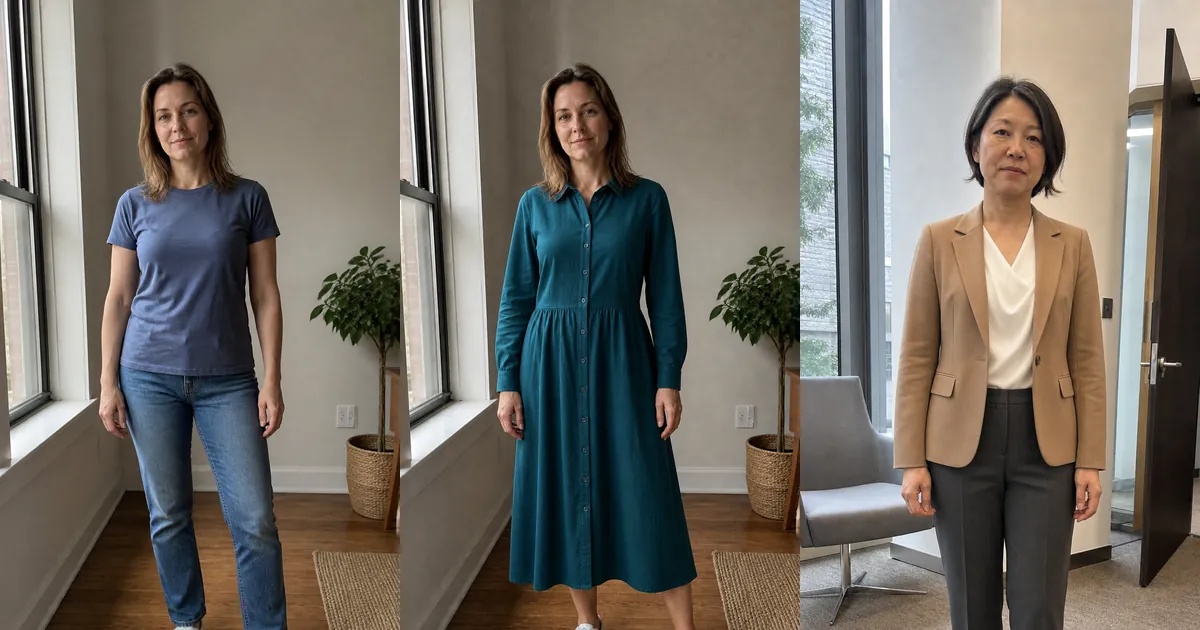
AI virtual try-on for women lets you preview dresses, tops, blazers, trousers, and complete work outfits on your own photo. Instead of deciding from a retailer's model alone, you can compare how different colors, necklines, sleeve shapes, lengths, layers, and silhouettes work with your appearance before buying or planning what to wear.
A women's virtual fitting room is most useful as a visual shortlist. It can help answer whether you prefer a shirt dress or wrap silhouette, a warm or cool blouse color, or a structured versus relaxed work outfit. It cannot feel fabric, test movement, measure your body, or guarantee which size will fit.
How to try on women's clothes online with AI
- Upload a clear front-facing photo with your arms visible and your body framed for the garment.
- Select clothing from the available collection or upload a clean product image.
- Generate the preview and inspect your identity, proportions, hands, hem, and garment details.
- Compare two or three meaningful alternatives on the same source photo.
- Verify measurements, fabric, care, reviews, delivery, and returns before purchasing.
Original women's dress and workwear examples
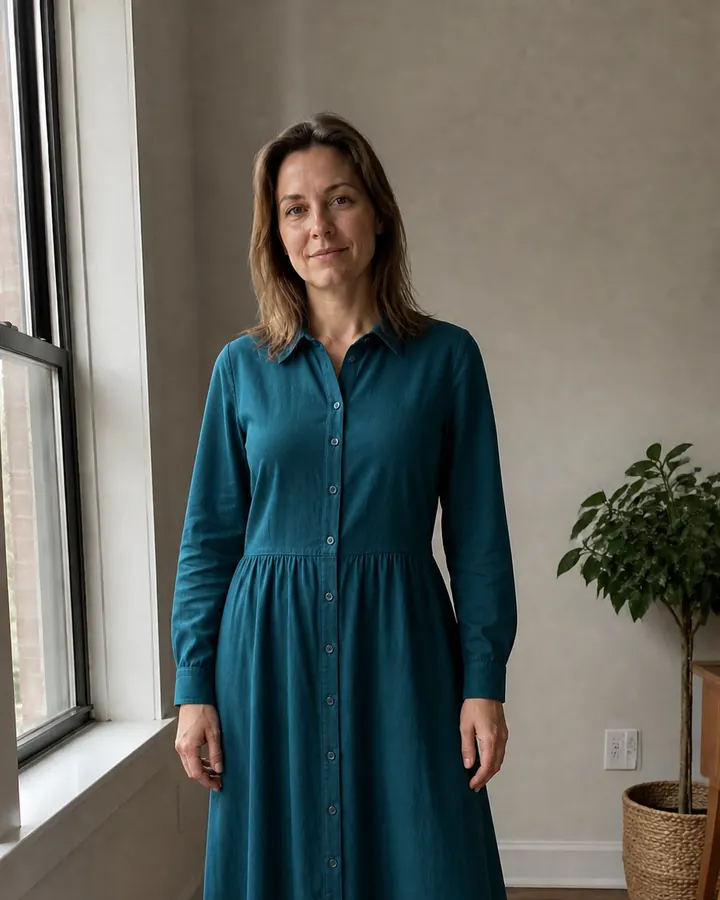
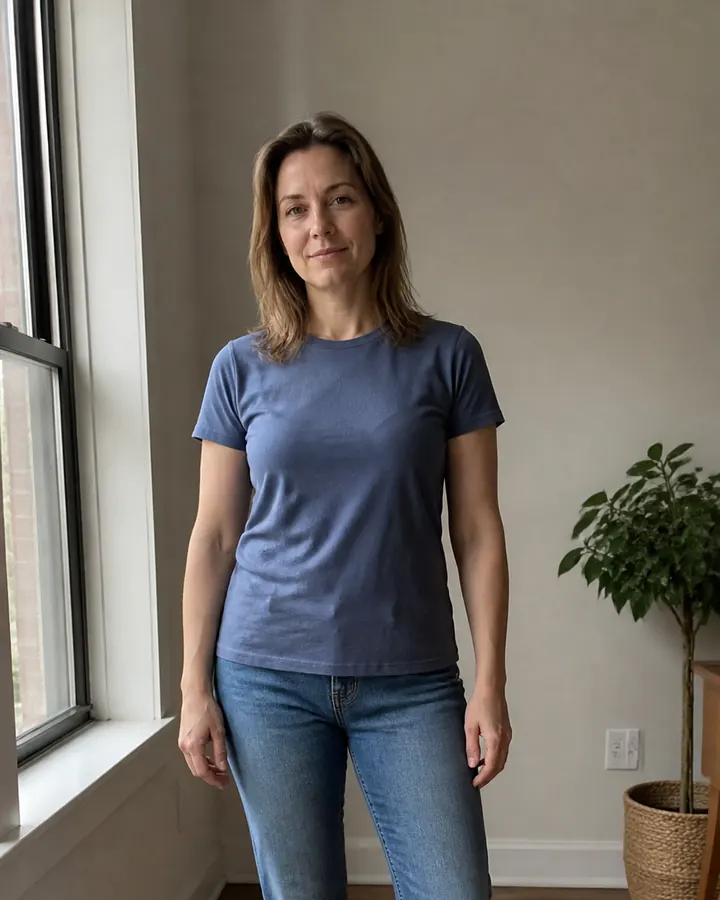
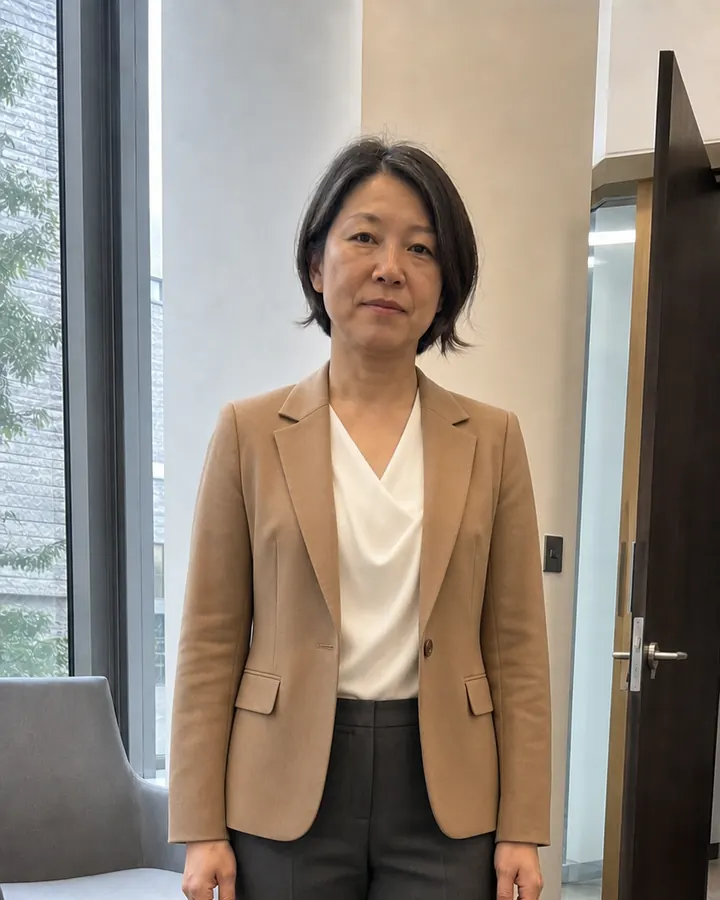
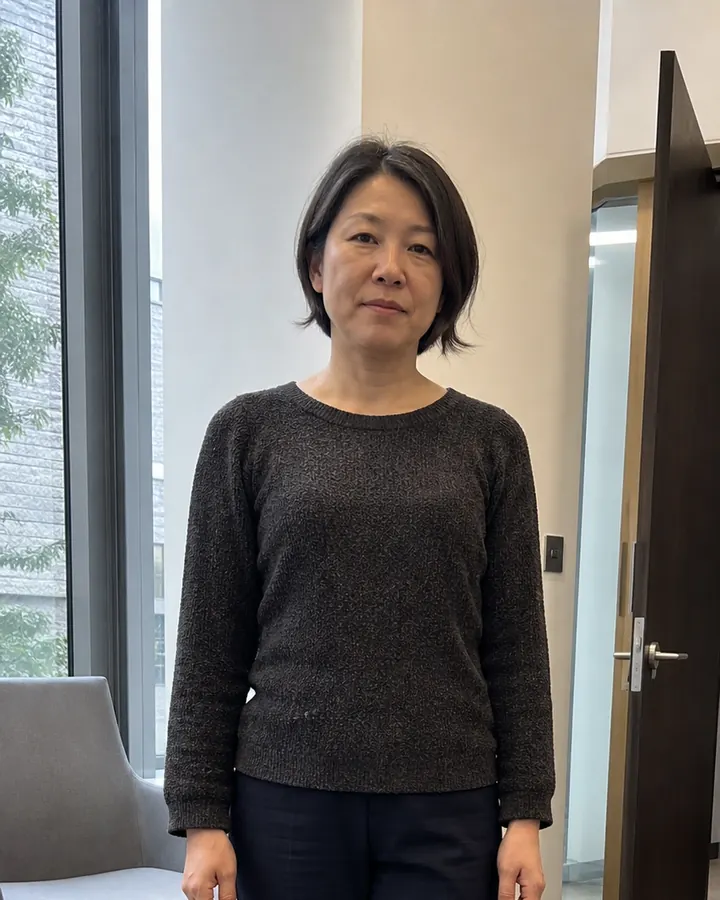
These original examples begin with natural everyday photographs. Each clothing edit keeps the same woman, expression, pose, hands, environment, and lighting. The first comparison changes a casual separates outfit into a midi dress; the second tests a blouse, blazer, and tailored trousers for work.
Drag each slider to compare neckline, waist, sleeves, dress length, blazer structure, blouse drape, trouser line, and overall formality.
 BeforeAfter
Women's dress try-on · Deep-teal midi shirt dress
 BeforeAfter
Women's workwear try-on · Camel blazer and ivory blouse
Virtual dress try-on for different occasions
A virtual dress try-on helps compare visible decisions such as neckline, sleeve coverage, waist placement, skirt shape, print scale, and hem length. Test shirt dresses, wrap dresses, slip dresses, sweater dresses, wedding-guest styles, and formal dresses on the same photo. Changing one feature at a time makes the comparison easier to trust.
Use a full-body source photo whenever the skirt and shoes affect the look. Keep the camera level and avoid cropping the knees or feet. A generated midi or maxi hem may look attractive but still differ from the physical garment, so confirm the listed length and the retailer model's measurements before ordering.
Preview tops, shirts, and blouses
Tops are useful for testing colors close to your face, neckline openness, collar shape, sleeve volume, pattern scale, and how a garment works with trousers or a skirt. Compare crew necks, V-necks, button-down shirts, wrap blouses, knit tops, camisoles, and overshirts without changing the personal photo between options.
A waist-up photograph may be enough for an isolated top, provided it includes the complete shoulders, sleeves, hands, waist, and hem. Use a longer crop when you want to judge tucking, layering, or the relationship between a top and the bottom half of the outfit.
Plan women's workwear and office outfits
Women's workwear can range from a formal pantsuit to a blouse with tailored trousers, a structured dress, or smart-casual knitwear. Use AI outfit previews to compare blazer length, shoulder structure, blouse neckline, trouser width, skirt length, color contrast, and the level of formality appropriate for your workplace.
Consider the full context: office dress code, climate, commute, video calls, meetings, presentations, and how much movement the day requires. A convincing generated blazer cannot show whether the real shoulder binds or the blouse is transparent under strong light. Check product construction and sizing separately.
Use a consistent photo for useful comparisons
Keep your pose, crop, hairstyle, lighting, and background consistent while comparing clothes. If each image changes your face, body proportions, camera angle, or environment, the apparent difference may come from the generation rather than the outfit. A believable result should preserve you and make the clothing the main variable.
Photo and garment-reference checklist
- Use sharp, even light and a relaxed front-facing pose with visible hands.
- Include your full body for dresses, skirts, trousers, coats, and complete work outfits.
- Wear simple starting clothes and remove bags, scarves, coats, and other obstructions.
- Choose a front-facing garment image showing neckline, sleeves, waist, fastening, and hem.
- Crop away store navigation, prices, promotional labels, and unrelated products.
Check the generated outfit before using it
Inspect the neckline, shoulders, sleeve ends, hands, buttons, pockets, waist, pattern, and hem. Reject results that alter your identity, distort proportions, duplicate fastenings, break prints, melt fingers, or invent important garment details. Repeat a promising item and look for visual features that remain stable across believable generations.
Use any Try button on this page to open InFashi's AI clothes tool, or continue with the Android app from the action panel. Compare a few genuinely different women's outfits, save the most useful previews, and combine that visual shortlist with measurements and retailer information before making a purchase.
Frequently Asked Questions
- Can women virtually try on clothes using a photo?
- Yes. Upload a clear front-facing photo, choose or upload a garment, and generate a visual outfit preview. Use it to compare color, silhouette, coverage, and styling rather than to confirm an exact physical size.
- Can I virtually try on a dress online?
- Yes. Use a full-body personal photo and a clean dress reference showing the neckline, sleeves, waist, complete skirt, and hem. Keep your legs and shoes visible when dress length matters.
- Can AI preview women's tops and blouses?
- Yes. AI can help compare blouse colors, necklines, sleeve shapes, prints, and layering. A waist-up image may work, but include the full sleeves, hands, waist, and hem for a clearer result.
- Can I use AI to plan women's work outfits?
- Yes. Preview blazers, blouses, trousers, skirts, pantsuits, dresses, and smart-casual layers while considering your workplace dress code. Confirm measurements and material separately before buying.
- Does women's virtual try-on recommend the correct size?
- No. It mainly provides a visual styling preview. Check the retailer's current size chart, garment measurements, stretch, lining, fit notes, reviews, and return policy before placing an order.
Try it on InFashi
Upload a photo in your browser, or download the Android app and preview your look on your phone.