How to Virtually Try On Skirts Online Using Your Photo
Use AI to virtually try on skirts with your photo, compare mini, midi, maxi, pencil, and A-line shapes, and understand what the preview cannot show about fit.
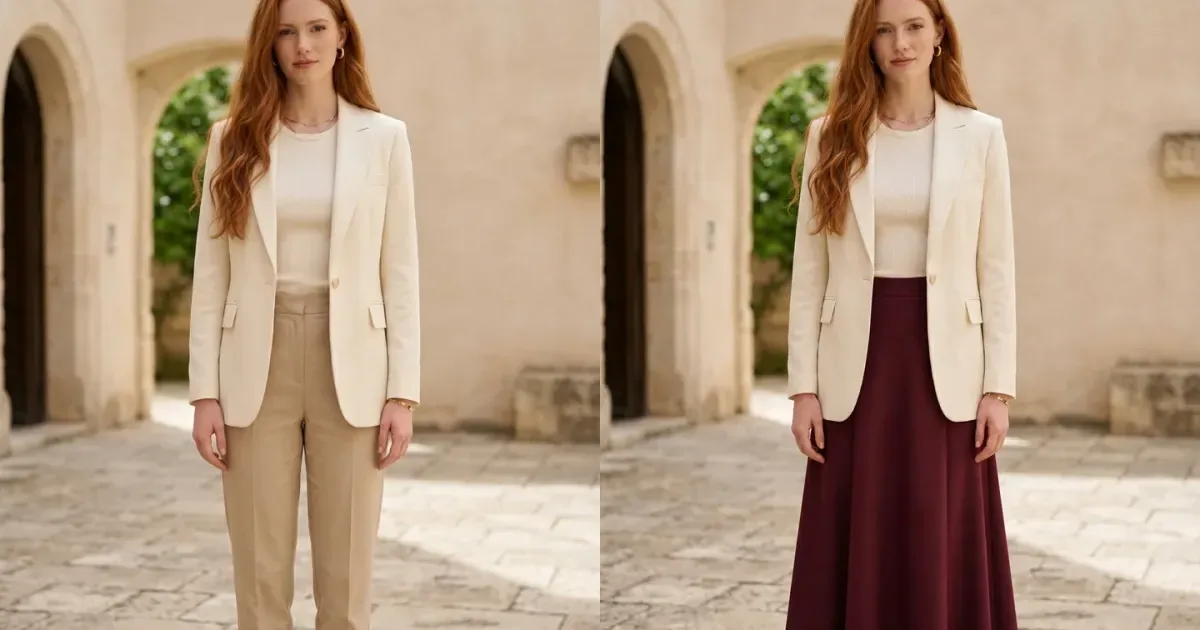
A skirt changes the waistline, leg proportion, movement, and formality of an outfit. A virtual skirt try-on lets you place a style onto your own photo and compare visible choices before shopping: mini versus midi length, pencil versus A-line shape, solid color versus print, or structured fabric versus softer drape.
The generated result is a styling preview, not a digital fitting appointment. It can help you decide whether a silhouette and color are worth investigating, but it cannot confirm the correct size, waistband pressure, hip room, walking comfort, stretch, lining, or how the real skirt moves.
How to virtually try on skirts online
- Upload a front-facing full-body photo with the waist, hips, legs, and shoes visible.
- Choose a skirt style or upload a clean product image from your phone or a retailer.
- Generate the preview and inspect the waistband, side edges, pleats, print, hem, legs, and hands.
- Keep the same personal photo and top while comparing another length or silhouette.
- Check measurements, fabric, lining, reviews, and returns before ordering the real garment.
Original virtual skirt example
This comparison uses an unused full-body photograph supplied for InFashi content. The AI edit preserves the woman's identity, blazer, knit top, jewelry, arms, hands, shoes, pose, courtyard, and lighting. Only the beige trousers change into a high-waisted burgundy A-line midi skirt.
Drag the slider to examine the new waistband, A-line volume, fabric drape, midi hem, leg visibility, and balance with the original blazer and loafers.
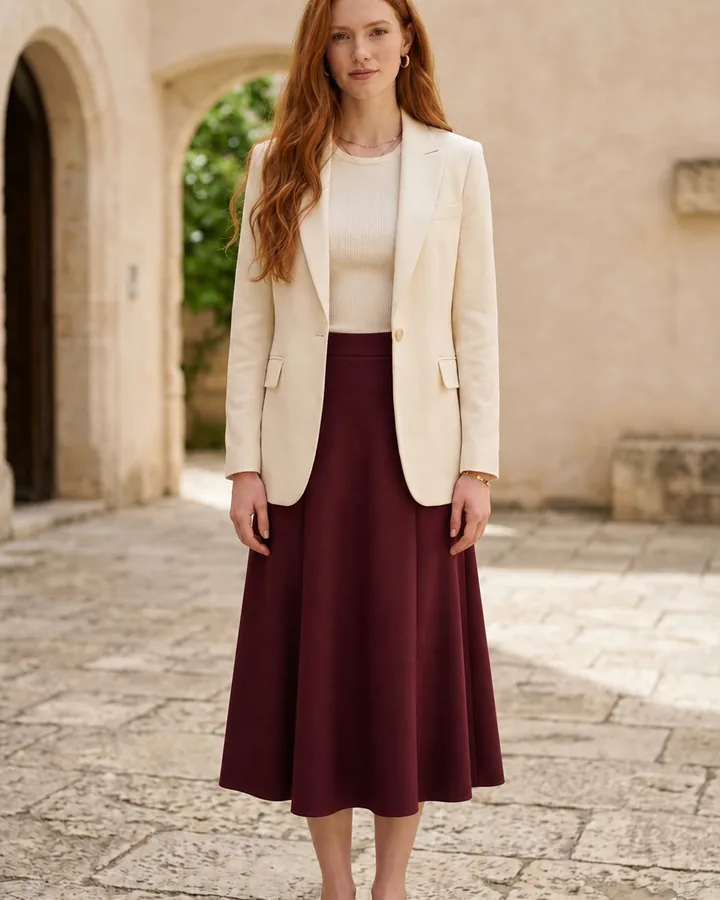
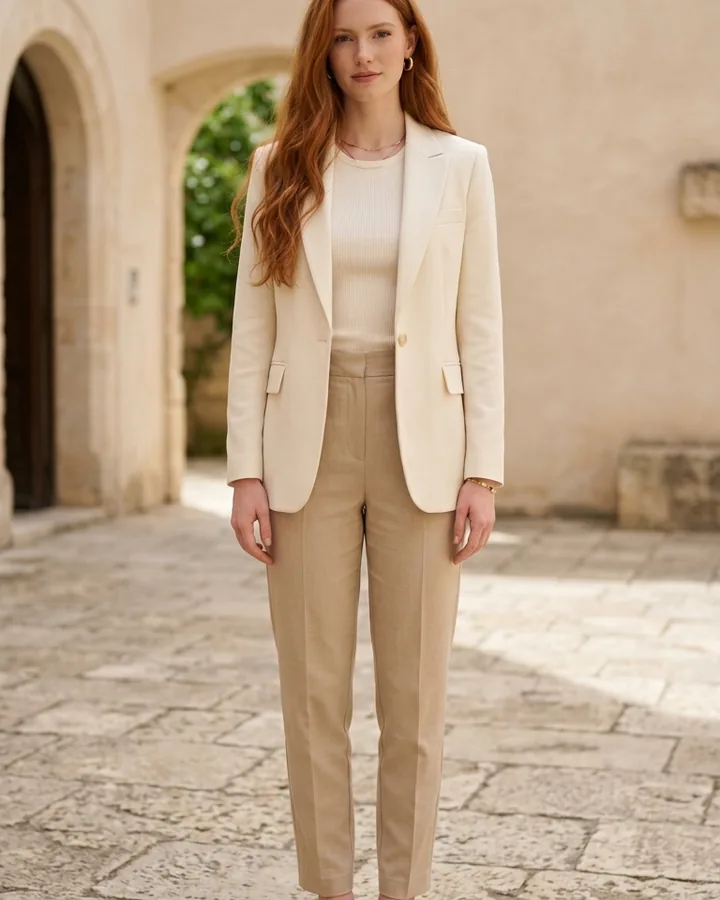 BeforeAfter
Women's skirt try-on · Burgundy A-line midi skirt
Compare mini, midi, and maxi skirt lengths
Length is one of the easiest decisions to preview. A mini skirt exposes more leg and often feels casual or evening-focused; a midi creates a stronger break between the skirt and shoe; a maxi produces a longer continuous line. Generate each length on the same photo and keep the top and shoes consistent so the comparison remains useful.
The displayed hem is still an estimate. Your height, the skirt's listed length, waistband placement, and the shoes you wear affect where the physical garment ends. After choosing a preferred proportion, compare the product length with a skirt you already own and like.
Test pencil, A-line, pleated, and wrap skirts
A pencil skirt follows a straighter line, while an A-line skirt widens from the waist. Pleated skirts add repeated vertical texture and more apparent volume; wrap skirts introduce an overlapping diagonal edge. Other useful comparisons include denim, slip, tiered, cargo, skater, and bias-cut skirts. Choose two or three clearly different shapes instead of generating many minor variations.
Check how the skirt works with the complete outfit. A fitted top may balance a fuller skirt, while a relaxed knit can work with a straighter shape. Try tucked and untucked ideas only when the reference makes the waistband visible, and remember that AI cannot show whether the real fabric clings, wrinkles, rides up, or becomes sheer in bright light.
Take a useful source photo
- Stand naturally with both feet visible and avoid crossing the legs.
- Keep the camera level and step back rather than using a close ultra-wide view.
- Wear a shorter or tucked top that leaves the waist and hips unobstructed.
- Remove bags, long jackets, chairs, and hands placed over the waistband.
- Use even light and enough floor space to preview a maxi hem accurately.
Check the skirt reference and generated result
A useful product reference shows the complete waistband, fastening, front construction, silhouette, print, and hem. After generation, inspect the waist, side seams, pleats, pockets, overlap, legs, fingers, and shoes. Reject images with broken patterns, uneven hems, changed proportions, missing limbs, merged hands, or a different face.
Match the skirt with tops and shoes you own
A skirt rarely works alone, so repeat the strongest option with two familiar tops and at least one realistic shoe choice. Notice whether the waistband needs to remain visible, where the top ends, and whether ankle boots, loafers, heels, or sneakers interrupt the hemline attractively. Keep season and occasion in mind: the same midi skirt may feel formal with a blazer and relaxed with a knit or T-shirt. This turns a style preview into a more practical wardrobe decision.
Open InFashi's AI clothes tool from any Try button on this page, or use the Android app from the action panel. Compare a few distinct skirt shapes on one photograph, save the believable results, and verify the retailer's waist, hip, and length measurements before buying.
Frequently Asked Questions
- Can I virtually try on a skirt with my own photo?
- Yes. Upload a clear full-body image and a clean skirt reference to generate a visual preview. You can compare waist position, length, shape, color, and styling on the same photo.
- Can AI show whether a skirt fits correctly?
- It can suggest a visual silhouette but cannot measure waistband comfort, hip room, movement, fabric stretch, or transparency. Always check the physical garment measurements and fabric details.
- What photo should I use for a virtual skirt try-on?
- Choose a sharp, front-facing full-body photo with your waist, hips, legs, and shoes visible. Avoid long tops, coats, bags, crossed legs, and objects covering the lower body.
- Can I compare mini, midi, and maxi skirts?
- Yes. Keeping the same pose and top makes it easier to compare how different skirt lengths divide the outfit and interact with your legs and shoes.
- Can I upload a skirt from an online shop?
- Yes. Use a clean front product image or crop a screenshot to show the waistband, complete skirt shape, texture, fastening, and hem without store interface elements.
Try it on InFashi
Upload a photo in your browser, or download the Android app and preview your look on your phone.