What Would I Look Like in a Wedding Dress? Preview It With AI
Preview wedding dresses on your photo with AI, compare bridal silhouettes and necklines, and prepare a focused shortlist before shopping or appointments.
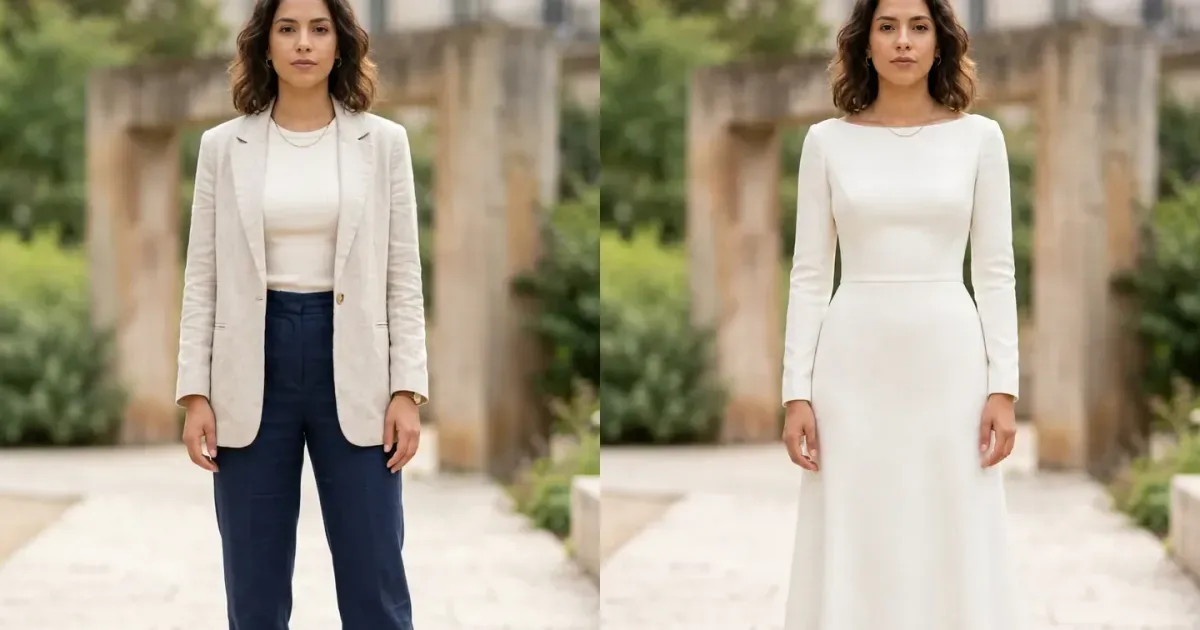
Wondering what you would look like in a wedding dress often begins long before a boutique appointment. An AI wedding dress try-on can place different bridal styles onto your own photo, helping you explore silhouettes, necklines, sleeves, colors, and overall mood without assuming that one sample photograph represents how the design might look on you.
A virtual bridal preview is most useful for discovery and shortlisting. It cannot replace trying on a physical gown, professional measurements, alterations, or the advice of an experienced bridal stylist. Use the image to identify preferences and questions, then test the real construction, support, movement, and comfort in person.
How to preview a wedding dress with AI
- Upload a clear full-body photograph with your arms, waist, legs, and feet visible.
- Choose a bridal style or upload a clean front-facing image of the wedding dress.
- Generate the preview and inspect the neckline, sleeves, waist, seams, skirt, hem, hands, and face.
- Compare a small number of clearly different silhouettes using the same personal photo.
- Save your strongest ideas and take them to a boutique or alterations consultation.
Original virtual wedding dress example
This example uses an unused full-body model supplied for InFashi content. The edit preserves the woman's identity, expression, hairstyle, jewelry, pose, hands, proportions, daylight, and garden setting while changing a tailored outfit into a restrained ivory silk-crepe bridal gown.
Drag the slider to compare the bateau neckline, fitted long sleeves, natural waist, A-line skirt, matte fabric, and floor-length hem with the original outfit.
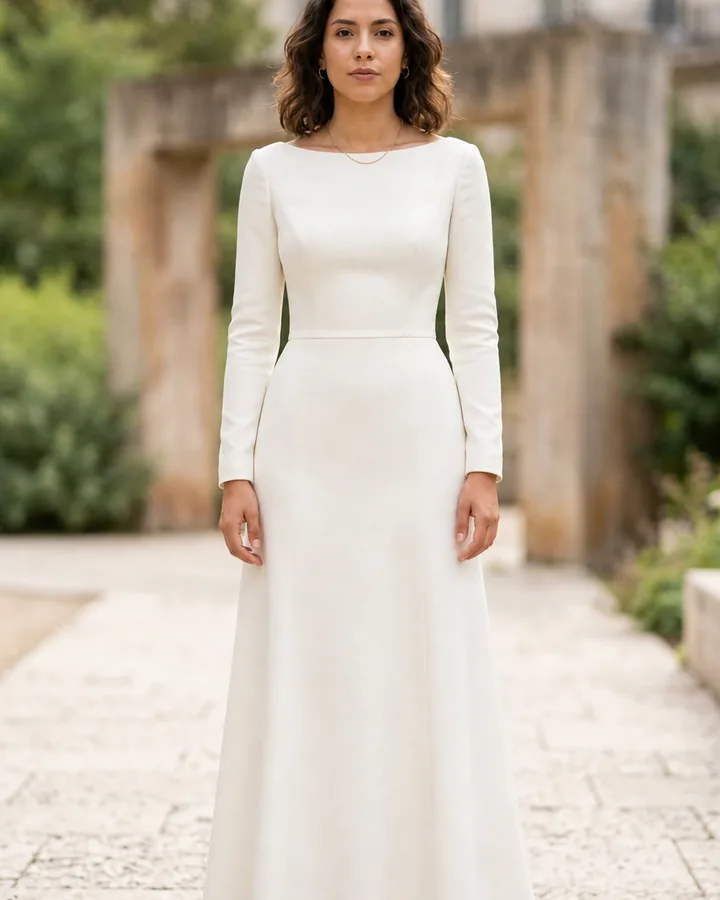
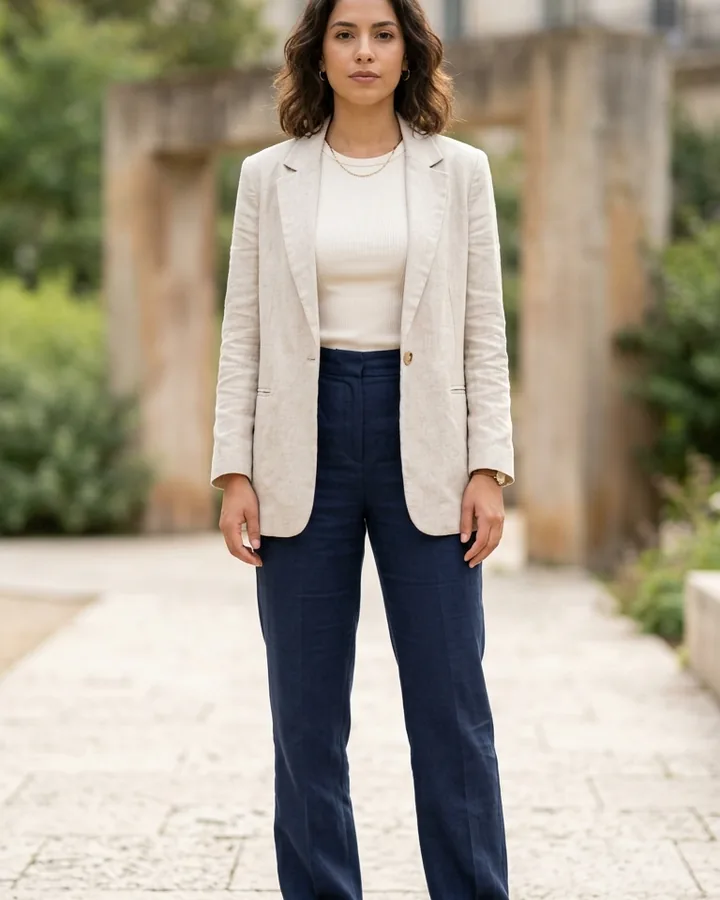 BeforeAfter
Wedding dress preview · Ivory long-sleeve A-line wedding dress
Compare bridal silhouettes first
Begin with shape. An A-line gown widens gradually from the waist, a ball gown adds more skirt volume, and a sheath or column follows a straighter line. Fit-and-flare and mermaid styles stay closer through the torso and hips before widening lower down. A bridal jumpsuit, trouser suit, or tea-length dress can provide a useful alternative comparison.
Generate each silhouette on the same source photo and avoid changing hairstyle, pose, background, or camera angle. This does not reveal the correct size, but it can help you notice whether you prefer a defined waist, a continuous vertical line, more skirt volume, or a less traditional shape.
Test necklines, sleeves, and color
Once you have a preferred shape, compare one feature at a time: bateau, square, V-neck, sweetheart, halter, off-shoulder, or high neck; sleeveless, cap, short, three-quarter, or long sleeves. Then test bright white, soft white, ivory, champagne, blush, or another shade while remembering that screens and lighting do not reproduce fabric color perfectly.
Details such as lace, beading, corsetry, sheer panels, boning, buttons, embroidery, and trains are harder for generative systems to reproduce exactly. Use AI to understand the overall direction, then return to official product photographs and examine the physical sample for workmanship and construction.
Take a better full-body bridal photo
- Stand naturally facing the camera with your arms slightly away from your waist.
- Use even daylight and a level camera positioned far enough away to avoid distortion.
- Wear simple, close-fitting clothing so your outline is visible without heavy layers.
- Remove bags, coats, scarves, crossed arms, furniture, and other obstructions.
- Leave floor space beneath your feet so the generator can form a complete gown hem.
Turn the preview into a useful boutique shortlist
Save three directions rather than dozens of random gowns: one silhouette you already expect to like, one contrasting shape, and one design outside your normal choice. Note the neckline, sleeve, waist, fabric, and skirt details that remain appealing. These observations give a stylist a better starting point while leaving room for unexpected options in person.
Preview the complete bridal look carefully
After narrowing the dress shape, you can make separate visual comparisons for a hairstyle, jewelry, shoes, or outer layer. Keep these decisions secondary until the gown direction is clear, and avoid changing every element in one generation. A veil can alter the neckline and back view, while earrings or a necklace may compete with detailed fabric. If a ceremony is outdoors or seasonal, also consider how a wrap, jacket, or coat affects the dress. Bring saved ideas to appointments as conversation references, not fixed instructions, because real materials and proportions may lead you toward a different combination.
Use any Try button to open InFashi's AI clothes tool, or continue in the Android app from the action panel. Treat every bridal image as inspiration, verify the designer's photographs and measurements, and arrange an in-person fitting before making an important purchase.
Frequently Asked Questions
- Can I see myself in a wedding dress using a photo?
- Yes. Upload a clear full-body photo and a wedding dress reference to create an AI bridal preview. It can help compare visible styles before you visit a boutique.
- Is an AI wedding dress try-on accurate?
- It can provide a useful impression of neckline, sleeves, waist, skirt shape, color, and overall style. It cannot reproduce exact tailoring, support, fabric behavior, comfort, or size.
- Which wedding dress silhouettes can I compare?
- You can visually compare A-line, ball gown, sheath, column, mermaid, fit-and-flare, tea-length, and bridal suit ideas when you have clear references.
- What photo should I use for a bridal preview?
- Use a sharp, evenly lit, front-facing full-body photo with a natural stance, visible arms and hands, and enough space below the feet for a floor-length hem.
- Can virtual try-on replace a bridal appointment?
- No. Use it to make a shortlist and communicate preferences. A boutique fitting is still needed to assess structure, support, alterations, movement, fabric, and comfort.
Try it on InFashi
Upload a photo in your browser, or download the Android app and preview your look on your phone.