How to Try On a Suit Online Using Your Photo
Upload a photo and try on suits online with AI. Compare business suits, pantsuits, blazers, tuxedos, and tailoring details before buying or attending an event.
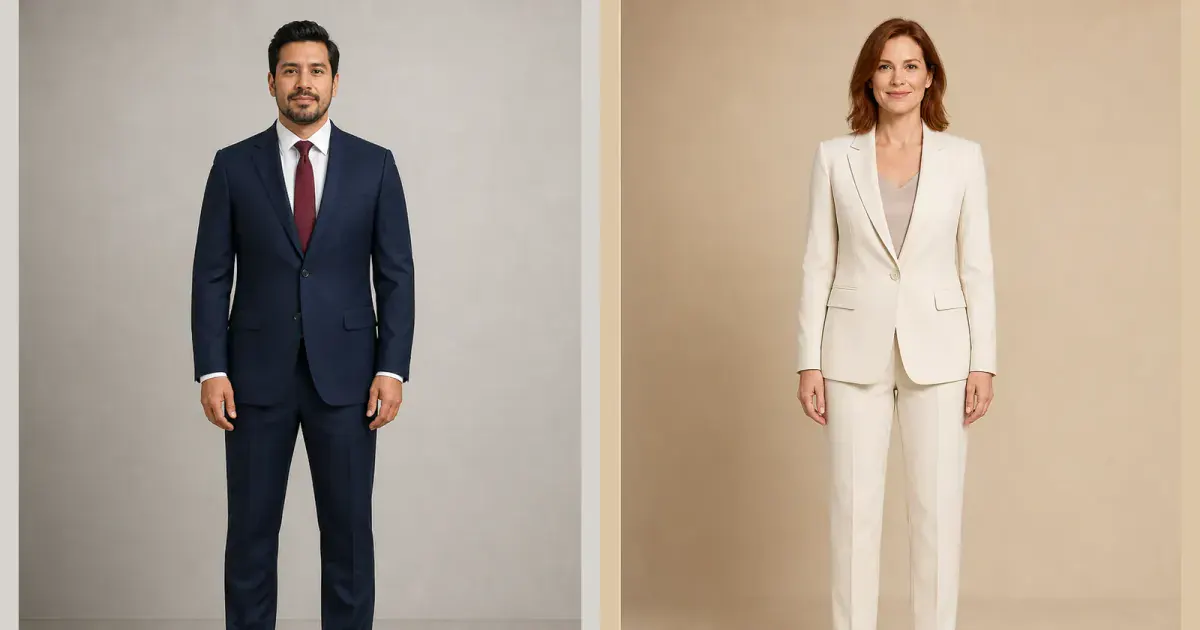
A virtual suit try-on lets you upload a photo and preview formal tailoring before buying, renting, or visiting a tailor. It can help you compare a navy business suit with a lighter wedding suit, test a blazer instead of a complete two-piece, or see whether a pantsuit creates the level of structure and formality you want.
The preview is most useful when you evaluate visible design decisions: color, lapel shape, jacket length, shoulder line, button position, trouser silhouette, shirt, and overall proportion. It cannot replace measurements or an alteration appointment, but it can turn a broad idea like “I need a suit” into a focused shortlist.
How to try on a suit online
- Upload a clear, front-facing photo that shows your body from head to shoes.
- Choose a suit from the InFashi collection or upload a front-facing suit reference image.
- Generate the preview and check that your identity, body proportions, pose, and background remain consistent.
- Repeat with the same source photo to compare a different color, lapel, jacket length, or trouser shape.
- Save the realistic results, then verify the actual suit's measurements, fabric, availability, and return or alteration terms.
Original men's and women's suit try-on examples
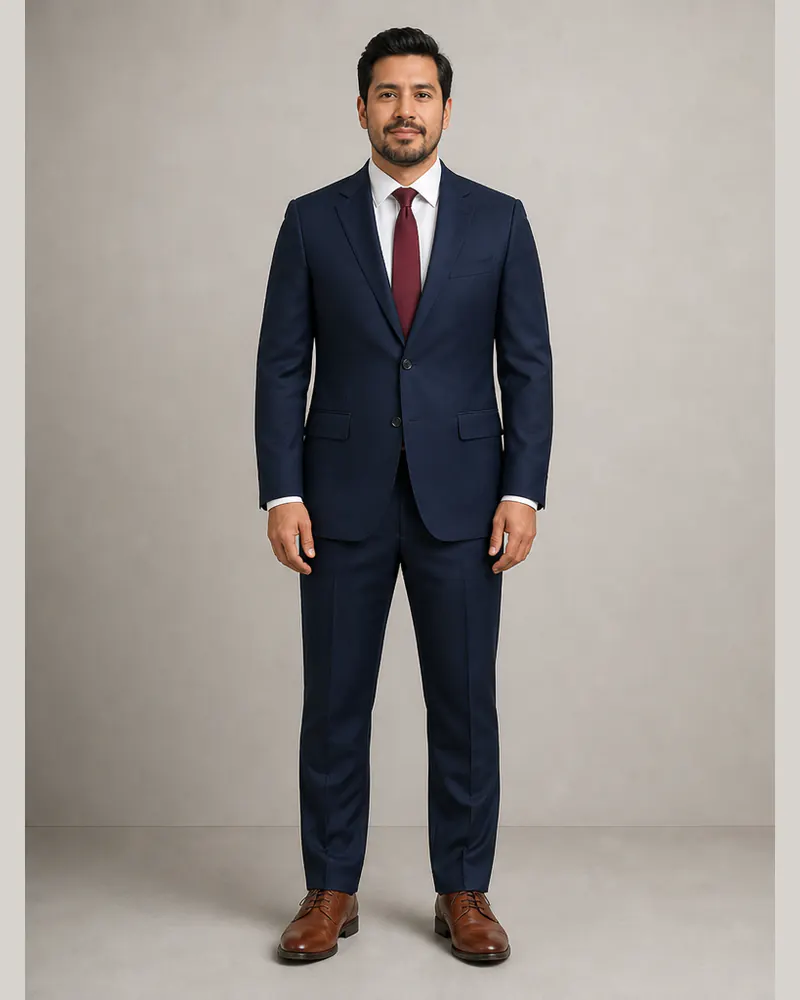
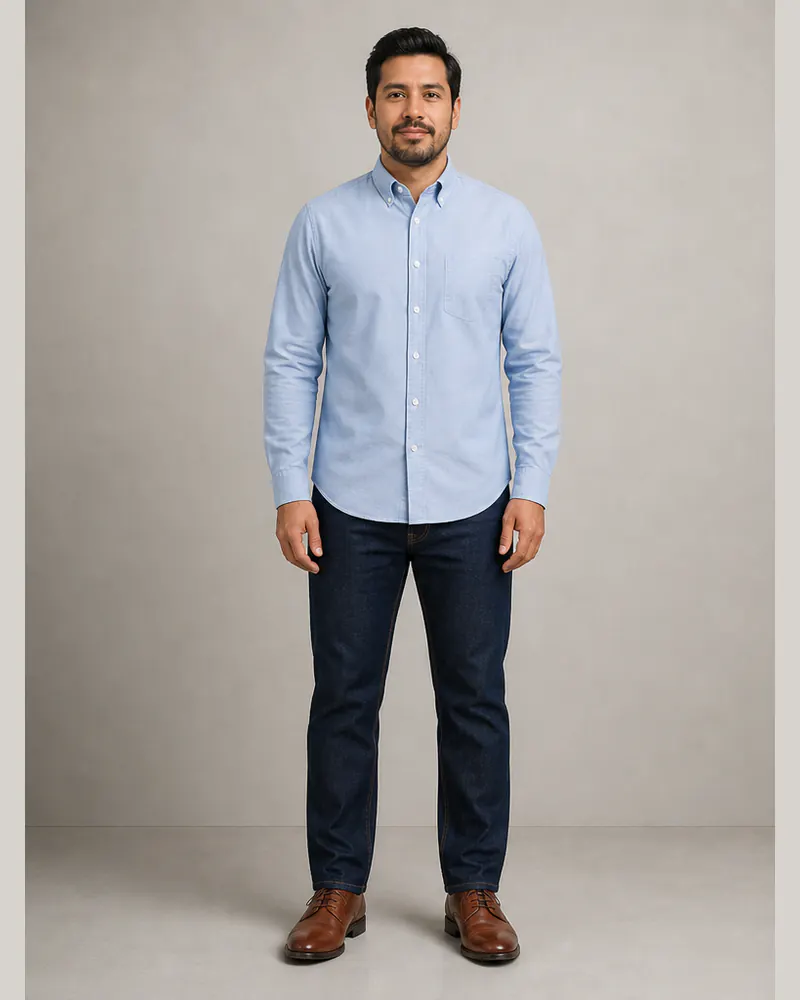
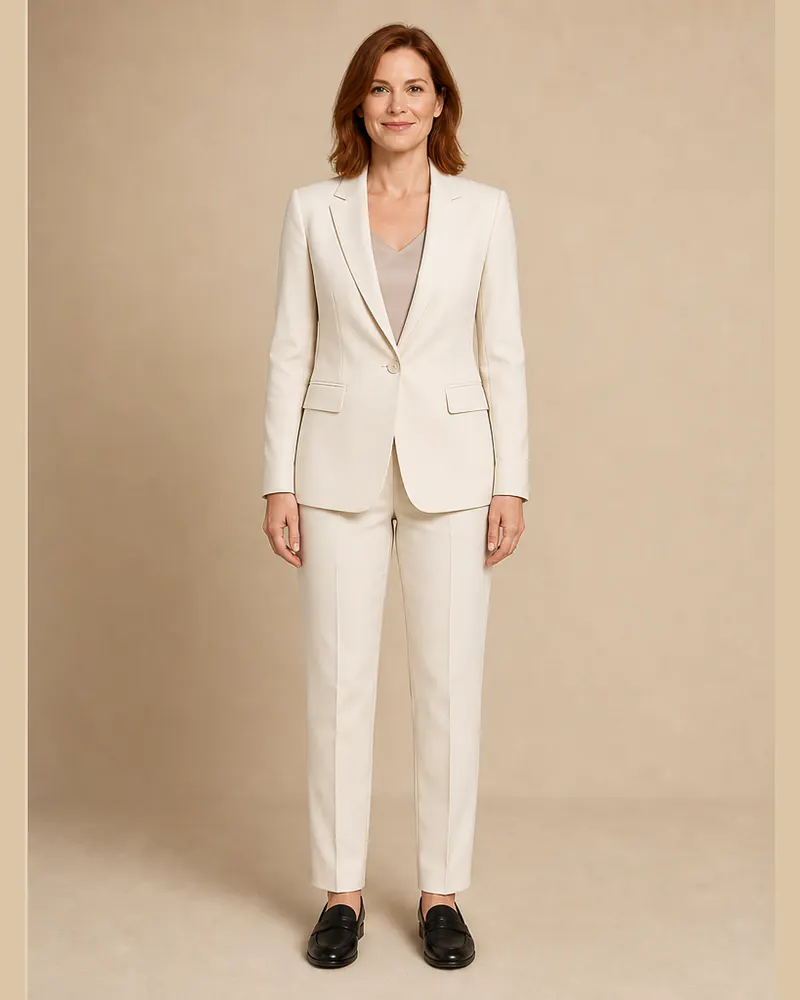
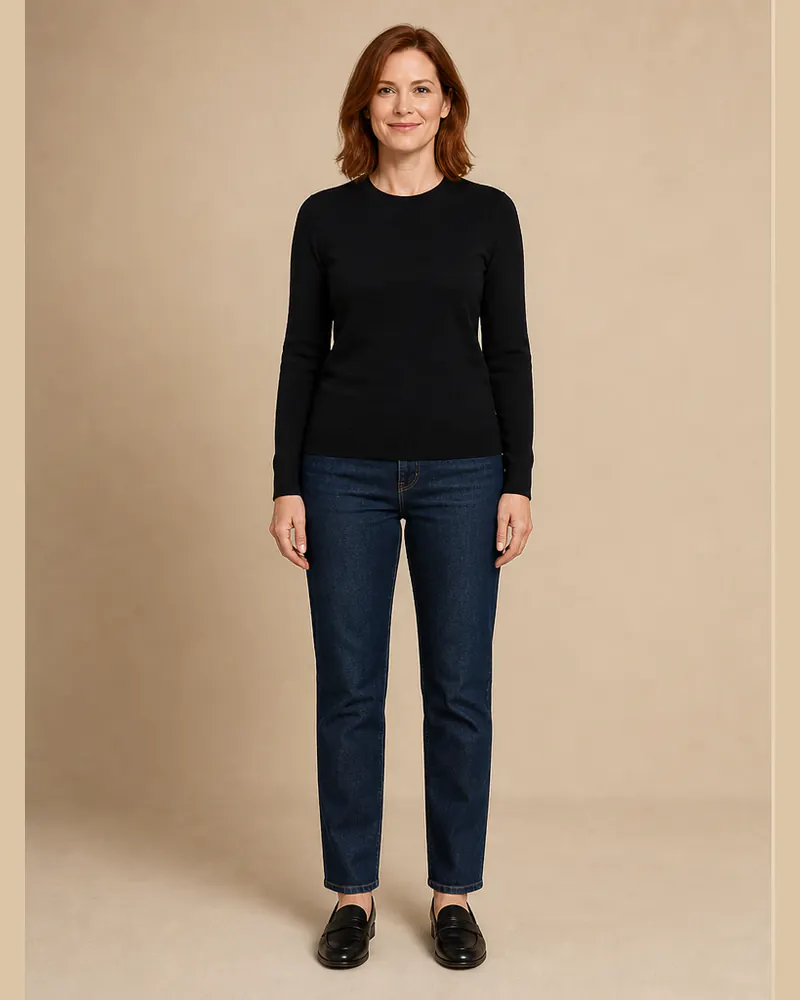
These original examples were created for this guide with new fictional models. Within each pair, the face, hair, expression, body proportions, pose, shoes, lighting, and studio setting remain consistent while the outfit changes. Drag each divider to inspect the tailoring rather than comparing different people.
The men's example changes an Oxford shirt and jeans into a navy business suit. The women's example changes a black knit and jeans into an ivory tailored pantsuit.
 BeforeAfter
Men's suit try-on · Navy business suit
 BeforeAfter
Women's suit try-on · Ivory tailored pantsuit
Compare business suits, wedding suits, and tuxedos
For work, begin with navy, charcoal, mid-gray, or a restrained neutral and compare how the color works with your usual shirts, shoes, and eyewear. A single-breasted two-button jacket is a practical baseline. Then test a wider or narrower lapel, a softer unstructured blazer, or a lighter suit if your workplace is less formal.
For weddings and evening events, compare the complete dress code. A tuxedo normally uses satin-faced lapels and formal accessories, while a wedding suit offers more flexibility in fabric and color. Women can compare pantsuits, skirt suits, longline blazers, double-breasted jackets, and tuxedo-inspired looks. Use the invitation and venue as context rather than choosing by image alone.
What to inspect in an AI suit preview
- Shoulders: the generated jacket should follow your natural shoulder line without visibly changing your frame.
- Lapel and collar: check the lapel width, notch or peak shape, shirt collar, and the area around a tie or open neck.
- Jacket length: compare where the jacket ends relative to your torso, hips, and hands.
- Button position: notice how the closure changes the apparent waist and balance of the upper body.
- Trousers: compare rise, leg width, crease, hem, and the visual break above your shoes.
- Fabric and color: verify that the AI has not invented shine, pattern, buttons, or a different shade from the product reference.
Discard a result if the suit reshapes your body, changes your face, merges hands into the jacket, produces uneven lapels, or creates implausible buttons and seams. A polished image can still be a poor comparison if the construction is inconsistent.
Use a full-body photo and a clean suit reference
Stand naturally with the camera level and your arms slightly separated from your sides. Wear simple, relatively fitted clothes so your shoulder, waist, leg, and shoe boundaries are visible. Avoid crossed arms, seated poses, bulky outerwear, bags, mirrors, wide-angle close-ups, and crops that remove the shoes when trouser length matters.
Choose a reference showing the complete front of the jacket and trousers. Lapels, buttons, pockets, sleeves, waistband, and hem should be visible. Product photos on a plain background are easier to interpret than suits hidden by folded arms, dramatic poses, coats, or heavy accessories.
Virtual appearance and real tailoring are different
An AI suit changer cannot measure shoulder width, chest, waist, sleeve length, jacket length, trouser rise, inseam, or seat. It cannot tell whether a collar gaps, a sleeve restricts movement, trousers pull when seated, or a fabric feels comfortable. Those questions require measurements and physical fitting.
Before ordering, compare the seller's garment measurements with a suit or blazer that already fits. Check fabric composition, lining, model measurements, alteration allowance, delivery date, rental conditions, reviews, and return policy. For an important wedding, interview, or formal event, leave enough time for tailoring.
Create a three-suit shortlist
Test one classic option, one alternative color or fabric, and one different level of formality on the same photo. Compare the strongest realistic previews, verify the product details, and bring the images to a retailer or tailor if useful. Open InFashi from any Try button on this page, or use the Android app to keep your suit ideas available on your phone.
Frequently Asked Questions
- Can I try on a suit online using my photo?
- Yes. Upload a clear photo to InFashi, then choose a suit from the collection or upload a clean reference image. The generated result helps you compare the suit's visual style on your photo.
- Can women use the virtual suit try-on?
- Yes. Women can preview pantsuits, skirt suits, blazers, tuxedo-inspired tailoring, and other formal looks by selecting or uploading an appropriate outfit reference.
- Can I virtually try on a tuxedo or wedding suit?
- You can preview tuxedos, dinner jackets, three-piece suits, and wedding suits when the reference clearly shows the complete outfit. Fine construction and accessories may not reproduce exactly.
- Does AI confirm whether a suit physically fits?
- No. AI previews appearance rather than measurements or comfort. Confirm chest, shoulder, waist, sleeve, inseam, and jacket-length measurements with the retailer or tailor.
- What photo works best for an AI suit try-on?
- Use a sharp, evenly lit, front-facing full-body photo. Stand naturally with your arms slightly away from your torso, and avoid crossed limbs, jackets, bags, mirrors, and extreme angles.
Try it on InFashi
Upload a photo in your browser, or download the Android app and preview your look on your phone.