What Would I Look Like With Bangs? Try Them With AI
See what you would look like with bangs using AI. Preview curtain, wispy, blunt, side-swept, and men's fringe styles on your photo before a haircut.
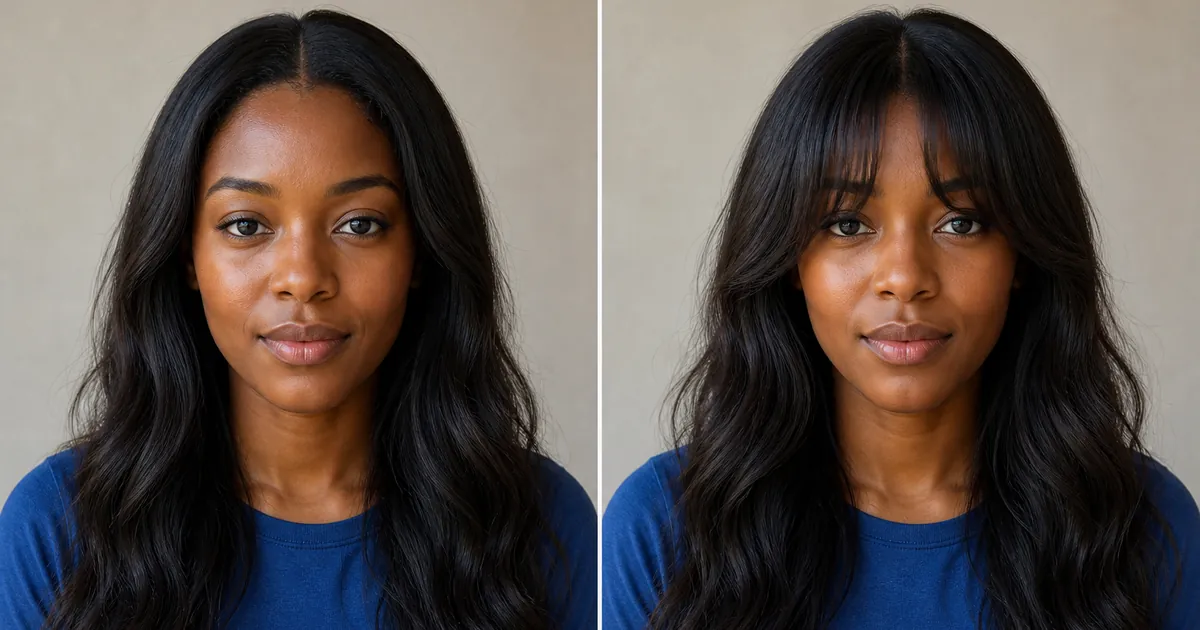
Wondering, “What would I look like with bangs?” is sensible because a fringe changes the area closest to your eyes, brows, and forehead. Curtain bangs can create an open frame, wispy bangs add lighter coverage, and a blunt fringe creates a stronger line. An AI bangs preview lets you compare these shapes on your own face before cutting the front of your hair.
Use the result as a visual planning tool rather than a guarantee. Keep one portrait unchanged, test a small set of realistic styles, and compare forehead coverage, width, length, texture, and how the fringe blends into the sides. Then discuss the strongest option with a stylist who can assess your density, growth direction, and natural texture.
How to try on bangs with your photo
- Upload a sharp, front-facing portrait taken at eye level with your forehead, hairline, and both sides of your hair visible.
- Choose a hairstyle with bangs from the collection or upload a clear reference showing the exact fringe you want.
- Generate the preview and reject it if your face, head shape, expression, hair color, or camera angle changes noticeably.
- Reuse the same original portrait to compare curtain, wispy, blunt, side-swept, or textured fringe options.
- Save your most believable results and bring the original photo plus your favorites to a stylist or barber.
Original bangs and fringe before-and-after examples
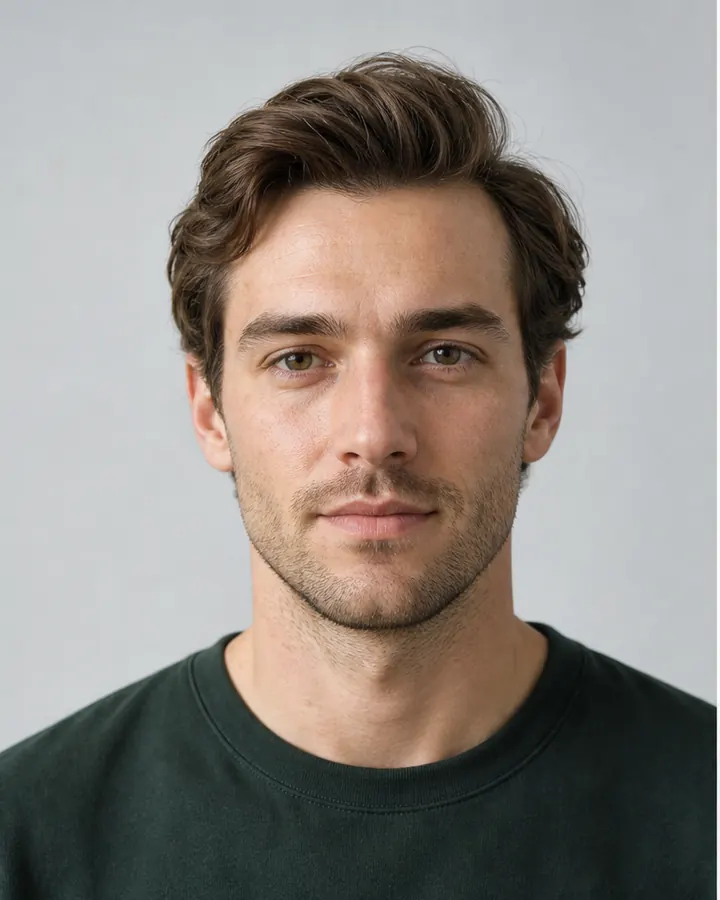
These examples use new fictional models created specifically for this guide. Within each pair, the identity, expression, clothing, pose, background, and lighting remain consistent while only the front hair changes. Drag each divider to compare forehead coverage and face framing.
The women's example adds soft curtain bangs to long waves. The men's example changes a swept-back front into a natural textured fringe while keeping the overall color and length consistent.
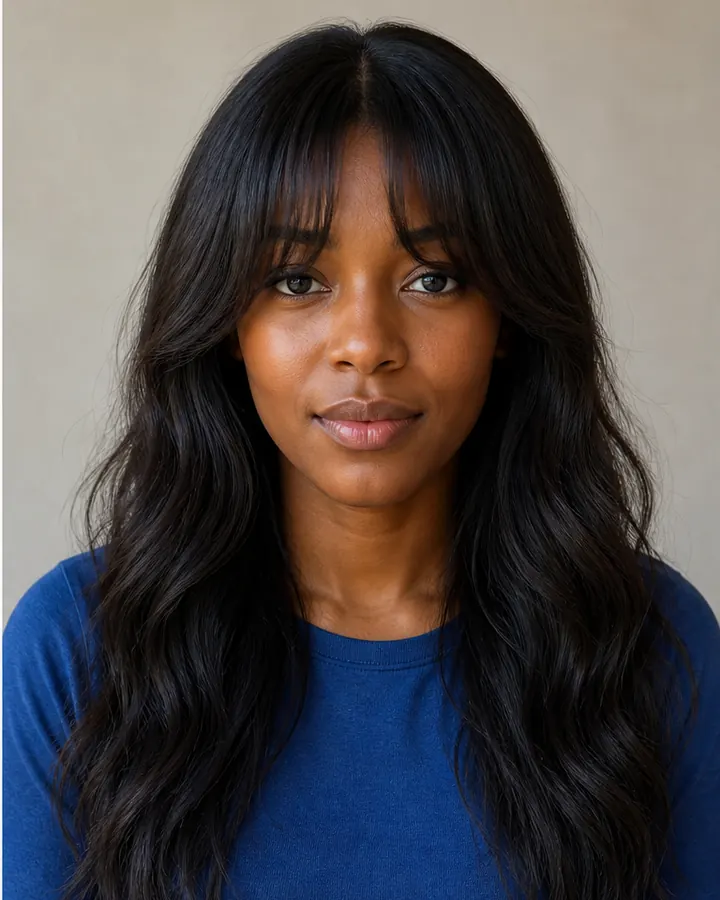
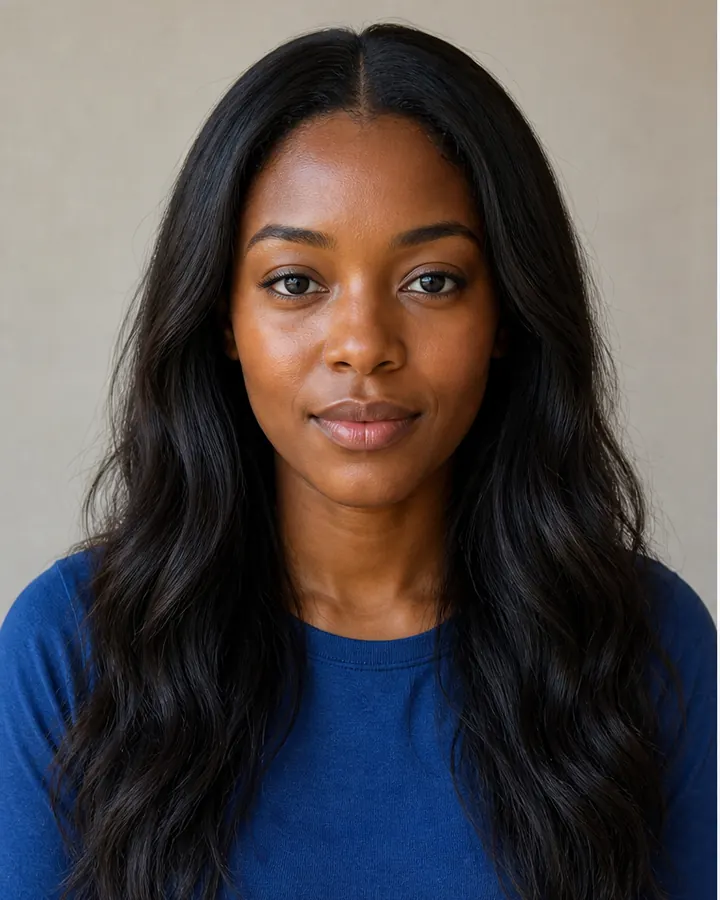 BeforeAfter
Women's bangs · Soft curtain bangs
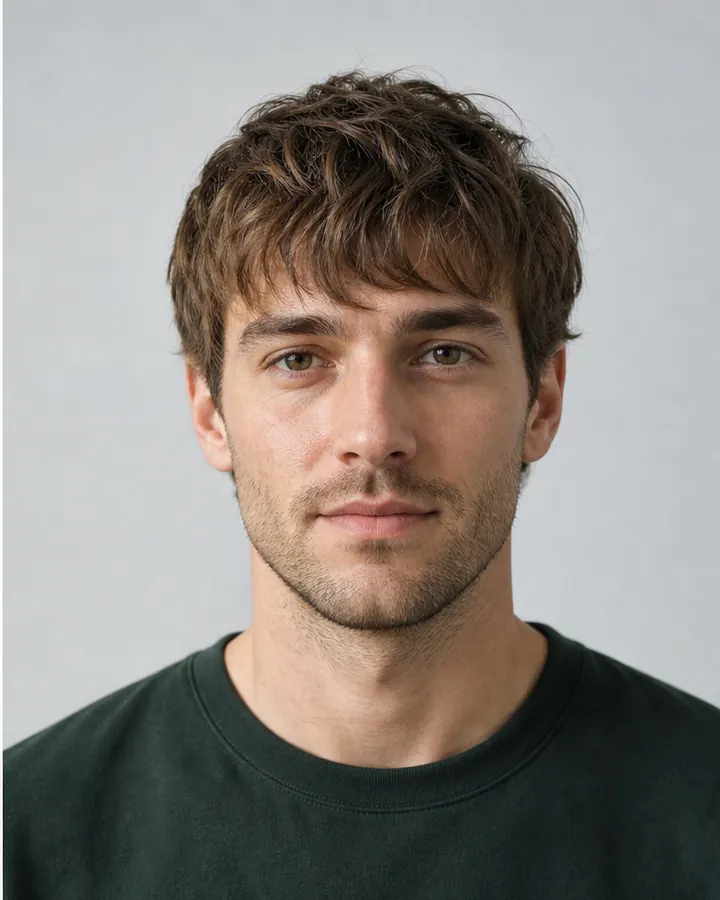
 BeforeAfter
Men's fringe · Textured forward fringe
Which type of bangs should you try?
- Curtain bangs part near the center and lengthen toward the cheekbones, creating an open, blended frame.
- Wispy bangs use lighter, separated strands and show more forehead than a dense fringe.
- Blunt or full bangs create a stronger horizontal line and usually need more frequent trimming and styling.
- Side-swept bangs move diagonally across the forehead and can blend gradually into layers or a side part.
- A textured men's fringe brings the front forward; compare its length, direction, separation, and side shape.
Try one style close to your current part and texture, then one contrasting option. The written label is less important than the exact result: two references called “curtain bangs” may differ in center opening, shortest length, density, and where the sides meet the cheekbones.
Consider face shape, forehead, and hair texture
Face shape is a starting point, not a restriction. Notice whether you prefer more or less forehead visible, where the fringe creates width, and whether its ends draw attention toward the eyes, cheeks, or jaw. A round, square, oval, heart, long, or diamond face can wear many fringe styles when the length and density are adjusted thoughtfully.
Texture and growth direction affect the real result. Straight hair may show a blunt edge clearly, waves add movement, and curls or coils can spring shorter when dry. Cowlicks and strong natural parts may separate a fringe or require daily styling. Choose reference photos with texture similar to yours and ask a stylist how the bangs will behave without heat styling.
Use the right portrait and bangs reference
Use even natural light and keep the camera close to eye level. Your full hairline, crown, brows, cheeks, and jaw should be visible. Avoid hats, glasses, heavy filters, deep shadows, tilted poses, and hair covering most of the forehead. Pulling the existing front pieces slightly aside can make the starting hairline easier to interpret.
For a specific style, upload a reference that clearly shows the center or side part, shortest strands, eyebrow clearance, outer length, density, and blend into the remaining hair. A front-facing reference generally transfers more clearly to a front-facing portrait than an angled editorial photograph.
What to check in an AI bangs preview
- Confirm that your face, brows, forehead, hairline, and head shape remain recognizable.
- Check whether the center opening or side direction looks natural rather than painted onto the forehead.
- Compare the shortest point, outer length, density, separation, and blend into the sides.
- Reject results with melted strands, duplicated eyebrows, uneven hair color, or an altered face.
- Use the same portrait for every option so the fringe is the meaningful change.
Turn your favorite preview into a salon plan
An AI bangs filter cannot confirm how your hair will fall, whether a cowlick will lift the fringe, or how much shrinkage and daily styling to expect. Bring the original portrait and two preferred previews to your appointment. Point out the center opening, length, density, and side blend you like, then ask what is achievable with your natural hair and maintenance routine.
Use any Try button on this page to open the InFashi hairstyle tool. You can select a catalog style or upload your own bangs reference, and the Android app link in the action panel lets you keep comparing ideas on your phone. The aim is a clearer conversation before the first cut—not an exact prediction of every strand.
Frequently Asked Questions
- How can I see what I would look like with bangs?
- Upload a clear front-facing portrait to InFashi, select a hairstyle with bangs or add a reference image, and generate a preview. Reuse the same portrait to compare curtain, wispy, blunt, or side-swept bangs fairly.
- Can I try curtain bangs with my photo?
- Yes. Choose or upload a curtain-bangs reference that clearly shows the center opening, shortest point, cheekbone length, and how the sides blend into the rest of the hair.
- What bangs suit my face shape?
- Face proportions can suggest useful starting points, but texture, hairline, density, cowlicks, maintenance, and personal preference also matter. Compare several fringe shapes on the same photo instead of relying on one face-shape rule.
- Can men use an AI bangs or fringe filter?
- Yes. Men can preview textured, forward, side-swept, curly, or longer fringes. Use a reference with a similar hair texture and enough visible detail around the forehead and sides.
- Will real bangs look exactly like the AI preview?
- Not exactly. The preview is a planning aid. Hair density, texture, shrinkage, growth direction, cowlicks, starting length, styling, and the stylist's technique affect the physical result.
Try it on InFashi
Upload a photo in your browser, or download the Android app and preview your look on your phone.